

Choose the need before counting sales features
Ecomus and MinimogWP allow you to examine an Elementor-built shop, but their documented features differ. Ecomus offers an option for versatile sales presentation. MinimogWP advertises bundles, recommendations and a package of WPC modules. This difference helps prepare the evaluation; it does not demonstrate that one sells more or the other cannot present complementary products.
Define the expected journey. A customer may want to understand a main product and then choose a useful accessory. They may also buy a bundle whose individual references and options must remain clear. These uses require different data and rules from a simple page with several product cards. Start with a few fictitious associations the team can explain and maintain.
The scenarios in this article are to be checked on a copy; no installation or order was executed here. Base the choice on understanding the offer, the cart and the components actually needed. The number of demos or a theme name does not prove conversion, performance or the quality of recommendations offered to buyers.
Compare before you choose
The offers at a glance
Find the use case and budget that fit, then read the details to see the limitations and any components you may need.
On smaller screens, the table scrolls horizontally. With a keyboard, press Tab to focus the table, then use the left and right arrow keys.
| Offer | Best for | Pricing and billing | Renewal and support |
|---|---|---|---|
 Ecomus — WooCommerce edition, drfuriRead the details | Elementor shop seeking versatile sales presentation. | 49 USD — Regular License — recorded November 2, 2026 one-time WordPress theme purchase Taxes and handling fees excluded; recheck any promotion. | 6 months of support; optional extension, price not retained. |
 MinimogWP — ThemeMoveRead the details | Catalogue with bundles and complementary product recommendations. | 59 USD — Regular License — recorded November 2, 2026 one-time WordPress theme purchase Taxes and processing fees excluded. | 6 months of support; optional extension, price not retained. |
Identify the editions and retained dates
Ecomus here means the WordPress WooCommerce item by drfuri. The namesake Shopify offering from another seller is excluded. MinimogWP also means the WordPress edition examined in the local catalogue. Keep the exact URLs and components for these items in the quotation; a similar name does not automatically transfer features, licences or terms from another platform.
Prices and product facts come from records dated November 2, 2026. This comparison did not reopen any primary page and does not update the online offerings. Dates of the local procedures used to prepare the copy are retained separately. Advertised versions and technical tags remain dated declarations, without a compatibility matrix tested for your installation.
The two canonical images were copied unchanged and inspected as images. Ecomus appears in a WooCommerce promotional banner; MinimogWP in a static shop preview. The latter’s source file is a static poster: no video was played or produced. These visuals do not prove that a bundle or cart works.
Prepare three references and expected results
Prepare a small fictitious catalogue with a main product, a relevant accessory and a product with no useful connection to the first. Add an unavailable option or variation to expose edge cases. Keep a stable reference, price and stock status for each offer. It must be possible to explain the expected result without relying on an animation or slogan.
Describe what is optional and what belongs to a bundle sold as such. Visitors must understand the proposed references and what they will pay if they accept or remove an item. A group image is insufficient to define an offer’s contents. Text, options and data must match the rules the shop actually intends to apply.
Use an isolated copy with backups of the files and database. Disable payments, emails, webhooks and external services before making changes. Keep the same set of references for both candidates and restore a known state between imports if necessary. A difference in data or modules must not be interpreted as a theme effect.
Compare costs without confusing the theme with operations
The amounts retained as of November 2, 2026 are 49 USD for Ecomus and 59 USD for MinimogWP, under a Regular License. The displayed difference is therefore 10 USD at that date. It does not represent the difference in a shop’s total cost. Taxes and possible fees are not included, and a promotion visible in a listing must not be considered permanent. These amounts will need checking before any purchase.
Both offerings include six months of support according to the archived information. An extension may be available, but its price was not retained in the article. Distinguish this support from configuration work, website maintenance, catalogue creation and support specific to added components. No real experience of the sellers’ support was undertaken here.
To establish a useful budget, list only the components required for the chosen journey. Then ask which are delivered, how they receive updates and which services require separate payment. A module advertised in a package does not establish the existence of a standalone licence. The price of Elementor Pro is outside this comparison: no included subscription is confirmed.
The Regular licence in the record covers one end product. It is not an unlimited licence for every shop belonging to an agency. Selling merchandise in a freely accessible shop does not in itself mean that access to the website is sold. Check other projects and demo resources separately. The support period is not an automatic theme expiry date; it promises neither perpetual maintenance nor a complete configuration service.
Evaluate Ecomus through the presentation of the offer
Ecomus is an option for developing the sales presentation of product pages and the cart with Elementor. On the working copy, first prepare the main product page: intended use, decisive features, variations and offer terms. An accessory can then be presented in its usage context. Readers must understand why this reference appears and whether its purchase is optional.
The available article does not confirm a standalone premium package equivalent to the one advertised for MinimogWP. Nor does it establish that Ecomus lacks every possibility for bundles or recommendations. Before selecting a specific feature, record its component, documentation and access terms. This identification avoids turning a layout possibility into a promise of sales functionality.
Assess readability using the same fictitious references as for the other theme. Observe where the price, options and add-to-cart action appear. Check that the complementary proposal does not obscure essential information about the main product. If the need is limited to explaining a use or compatibility, a clearer product page may address the problem without adding a bundle mechanism. Keep this possibility open during the comparison.
Examine the MinimogWP package component by component
MinimogWP advertises Elementor and custom widgets, with WPC Product Bundles, WPC Frequently Bought Together, WPC Smart Wishlist and WPC Smart Compare in Premium editions. Multi Currency and Revolution Slider also appear in the advertised inventory. These names provide a basis for preparing technical questions. They demonstrate neither activation in a given installation nor suitability for all catalogue product types.
The WPC modules cited must not be presented as the official WooCommerce extensions for comparable uses. Keep their exact identities in the decision record. Delivery with the theme does not confirm personal keys, standalone licences, direct access to supplier services or individual support. Identify the update route and support scope before depending on a feature.
Start with only the module that addresses the chosen scenario, after identifying its documented operation. The presence of a wishlist or comparison tool does not require activating them to test a bundle. The local article does not describe the WPC extension configuration menus, so no specific administration path is invented here. The evaluation concerns expected results the team can compare against the interface actually installed.
Separate an optional recommendation from a bundle sold as a unit
An optional recommendation suggests a reference the buyer may accept or ignore. A bundle follows a sales rule that must specify its items, options and price. These presentations are not interchangeable. Before configuring anything, write the expected result using the three fictitious references: what enters the cart, what remains optional and what must never be proposed in this scenario.
On the copy, ask a reader to identify the offer’s contents without a spoken explanation. The price must make clear whether the proposal is added to the main amount or represents a total. Illustrations are insufficient: an accessory shown in a photograph may not be included in the sale. Labels must resolve this ambiguity before the purchase action, according to the selected component’s capabilities.
For a recommendation presented as frequently bought with the product, identify the source of the associations. The name WPC Frequently Bought Together does not prove statistical analysis, personalisation or an artificial intelligence system here. A manually prepared association must be assessed as such. Check its relevance, maintenance and comprehension without attributing unobserved sales data to it.
For example, write: “notebook alone, pen optional”. Declining the pen must keep the notebook in the cart without an extra charge. For another offer, “notebook and pen sold together”, record both items and the intended pricing rule. These cases help decide whether a simple product suggestion suffices or a genuine bundle component is required. They imply neither an automatic discount nor permission to remove individual items from a bundle.
- On the copy, display the main product and check the complementary item’s label: optional or included in a bundle. Correct the text if the photograph implies a different offer.
- Add the main product while declining the complementary item when the proposal is optional. Compare the cart lines with the expected result written before the trial.
- Then accept the complementary item and record references, variations, quantities and total amount. Do not assume any discount: check the one you actually configured and documented.
- Make a complementary item unavailable on the copy. Check the result intended by the selected component and document any discrepancy before proceeding with launch.
Prepare variations and unavailable items
An accessory useful for the main product can become incompatible with certain variations. Therefore prepare a combination that is sold and a combination that must not be. The generic journey below describes the WooCommerce variable product; it does not confirm that every bundle extension handles all variations identically.
Each offered variation must have a price. Enter stock management information only if you use it: choose a consistent rule at product or variation level. After saving, check for an explicit selection and an understandable message when the combination is unavailable. A module’s name or its presence in the package does not guarantee this result.
Also rerun the case of an out-of-stock complementary item. Define beforehand whether the offer should disappear, remain informative or propose another solution: this is a desired result, not an already verified feature. Check that the cart respects available quantities and does not retain a combination that has become impossible. No stock trial was executed for this article; these scenarios serve as acceptance criteria.
- Open Products > Add New on the copy, then select Variable product under Product data. Give the product a fictitious reference.
- Under Attributes, prepare size or format, specify the desired values and their use for variations in the corresponding interface. Save the attributes.
- Under Variations, create only the combinations sold. Open each to enter its price and, if stock management is enabled, the variation’s stock.
- Save the variations, then the product. In the preview, choose an available combination and then an unavailable one before checking the behaviour of the complementary module.
Check the cart and mobile presentation
The check must follow the reader’s action through to the cart. Compare references, variations, quantities and amounts with the expected result. For an optional recommendation, check that declining the complementary item leaves the main product usable according to the intended rule. For a bundle, examine the modification possibilities advertised by its component and how they are explained, without assuming individual items can be removed.
On a narrow screen, names and differences between options must remain understandable. Also prepare a keyboard check of choices, buttons and displayed information. These are checks to perform on the copy, not accessibility or compatibility conclusions already obtained. The two canonical images in the article are static: they do not show the cart journey or its adaptation in every context.
Record the cart and checkout mode used by the copy, notably blocks or classic templates. A WooCommerce compatibility declaration is insufficient to establish all these journeys with every extension. If there is a discrepancy, record the version combination and component involved before changing the configuration. The aim is to have a reproducible defect with fictitious data, rather than a judgement based on one screenshot.
Read compatibility as dated declarations
For Ecomus, the author states WooCommerce 11.0.x and WordPress 7.0.x in the retained material, while the tags also mention WordPress 6.9.x and WooCommerce 9.x. The last displayed update is August 28, 2026. This information describes an archived listing with different fields. It is not a test matrix performed for this article and must not be presented as one.
MinimogWP advertises WordPress 7.0, WooCommerce 11, PHP 8 and HPOS. The stated last update is October 29, 2026; the WordPress 7.0.x and WooCommerce 10.x tags remain distinct from the description. HPOS concerns order storage. That declaration alone does not prove correct operation of a particular bundle, cart mode or every associated component.
Prepare a record of the versions actually used on the copy, then compare it against the documented requirements of the chosen components. Ecomus also cites Dokan and WCFM: this does not confirm inclusion of their professional editions. A marketplace project would need additional analysis; it must not be implicitly added to the scope of this comparison about complementary products. No environment was installed to verify these claims.
Plan maintenance and keep messages accurate
Each sales association needs an owner and a review rule. A reference, variation or availability change can make a complementary item useless. Plan a check when the catalogue changes, with the option to remove a proposal that has become incorrect. The cost of this work counts in the choice, even when a module is included in the theme price. The article measures no actual maintenance time.
If notifications or countdowns are used, they must correspond to true, verifiable information. A complementary product proposal can be explained by coherent use; it does not need artificial urgency to be understandable. Also do not turn the MinimogWP marketing name, which suggests conversion, into a measured result. No sales increase is demonstrated by the available material.
Before any launch, keep the backup and list of settings examined. The test copy must remain isolated from payments, emails, webhooks and external integrations during trials. If the project later migrates to an active website, an old database must not overwrite recent orders. That stage will require a plan tailored to the website concerned; this delivery remains an editorial article, without deployment.
Choose according to the journey actually required
Ecomus is worth evaluating when the need primarily concerns offer presentation and clear product pages with Elementor. The deciding question is then which components are necessary to go beyond that presentation. MinimogWP is worth evaluating when bundles and recommendations have a defined place in the project, thanks to its advertised WPC inventory. Compare that inventory against the expected sales rules and maintenance conditions.
Make a decision only after comparing the copy’s results with the written criteria: understandable offer contents, consistent variations, identifiable optional complementary item, explainable price and compliant cart. Without these checks, the article helps select an option, not certify operation. If the problem primarily comes from insufficient product information, start by improving it before multiplying components.
Both offerings are compared using information recorded on November 2, 2026 and documented procedures. Caveats about licences, compatibility and sales results are retained. The 10 USD difference between archived prices does not decide the issue alone: the choice depends on the useful journey the team can check on a copy and then maintain.
Sources and references
Use these references to check the features, requirements and limitations described. Reading documentation is not a practical test.
View 11 references
- WooCommerce: official extension and engine scope ↗
- WooCommerce: categories and attributes ↗
- WooCommerce: classic or block cart and checkout ↗
- WooCommerce: HPOS storage ↗
- WooCommerce: test orders and side effects ↗
- ThemeForest: licence terms and GPL clauses ↗
- ThemeForest: support policy ↗
- Envato: bundled extensions and standalone licences ↗
- Ecomus: official WooCommerce edition ↗
- MinimogWP: official listing and advertised package ↗
- WooCommerce — Variable products ↗ — Documentation consulted:
Uses, prices and what to check
2 offers in detail
Compare the features you need and the terms of each offer. The order of these entries does not indicate a ranking.
Ecomus — WooCommerce edition, drfuri
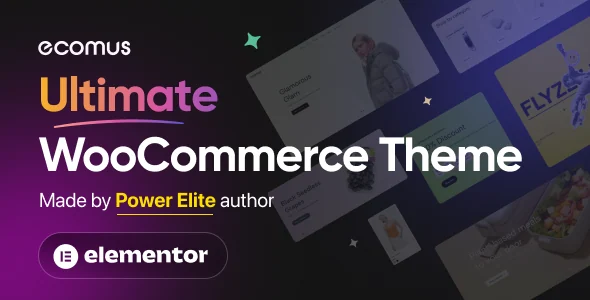 Official Ecomus theme presentation supplied by its author.
Best forElementor shop seeking versatile sales presentation.
Ecomus here is the WordPress WooCommerce item by drfuri, distinct from the namesake Shopify offering. It provides an option for sales presentation with Elementor, without an established standalone premium package. The 49 USD is the amount in the listing retained on November 2, 2026; any promotion and dependencies remain to be clarified before purchase.
Offer pricing
49 USD — Regular License — recorded November 2, 2026
Billing: one-time WordPress theme purchase
Renewal and support: 6 months of support; optional extension, price not retained.
Taxes and handling fees excluded; recheck any promotion.
Checked on .
Strengths
- Clearly identified WordPress edition
- Sales page customisation
What to consider
- Do not confuse with the Shopify namesake
- Standalone premium package unconfirmed
Pricing terms and compatibility
Understanding the offer
- Price at the time of review
- 49 USD — Regular License — recorded November 2, 2026
- Currency
- USD
- Billing
- one-time WordPress theme purchase
- Renewal and support
- 6 months of support; optional extension, price not retained.
- Taxes and fees
- Taxes and handling fees excluded; recheck any promotion.
- Commitment and terms
- WooCommerce item only; separate Shopify offering excluded. Licence for one end product; check appropriate rights for any other project.
- Date checked
Compatibility and components
- Elementor listed as the builder; no Elementor Pro subscription confirmed.
- The listing advertises WooCommerce 11.0.x and WordPress 7.0.x; technical fields also display earlier versions.
- Dokan and WCFM are compatible according to the author, not supplied as established professional editions.
- Last listing update: 2026-08-28. Latest displayed tags: WordPress 6.9.x, WooCommerce 9.x.x. Versions advertised in the text or changelog are stated separately above; no combination was tested here.
MinimogWP — ThemeMove
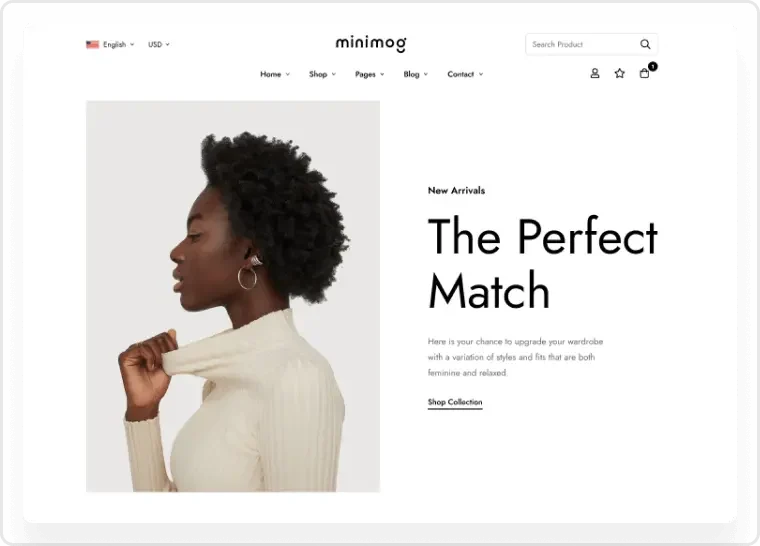 Official preview of MinimogWP — ThemeMove supplied by the developer. Visible text, figures and offers belong to the demo.
Best forCatalogue with bundles and complementary product recommendations.
MinimogWP advertises Elementor, bundles and recommendations along with a WPC package in Premium editions. These modules are not the official Woo extensions of the same type, and their standalone licences are unconfirmed. The 59 USD dates from November 2, 2026; no conversion increase or order was measured.
Offer pricing
59 USD — Regular License — recorded November 2, 2026
Billing: one-time WordPress theme purchase
Renewal and support: 6 months of support; optional extension, price not retained.
Taxes and processing fees excluded.
Checked on .
Strengths
- Bundles and recommendations advertised
- HPOS explicitly mentioned
What to consider
- No measured conversion increase
- Module editions and standalone rights to confirm
Pricing terms and compatibility
Understanding the offer
- Price at the time of review
- 59 USD — Regular License — recorded November 2, 2026
- Currency
- USD
- Billing
- one-time WordPress theme purchase
- Renewal and support
- 6 months of support; optional extension, price not retained.
- Taxes and fees
- Taxes and processing fees excluded.
- Commitment and terms
- MinimogWP edition; the package does not prove standalone premium licences. Licence for one end product; check appropriate rights for any other project.
- Date checked
Compatibility and components
- Elementor and theme-specific widgets.
- Advertised package: WPC Product Bundles, WPC Frequently Bought Together, WPC Smart Wishlist and WPC Smart Compare in Premium editions, along with Multi Currency and Revolution Slider. These names do not automatically designate the official Woo extensions of the same type; standalone keys unconfirmed.
- WordPress 7.0, WooCommerce 11, PHP 8 and HPOS advertised as compatible; no practical verification.
- Last listing update: 2026-10-29. Latest displayed tags: WordPress 7.0.x, WooCommerce 10.x.x. Versions advertised in the text or changelog are stated separately above; no combination was tested here.