

Identify the text and page displaying it
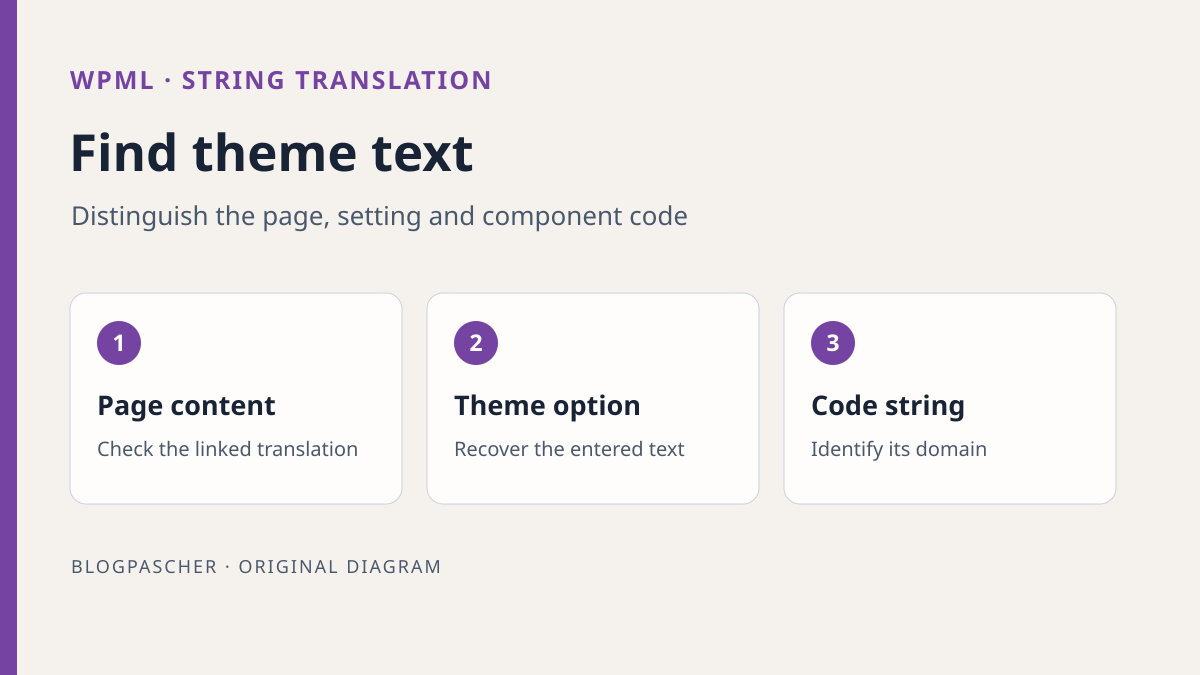
A “Voir les horaires” button remains in French on the site's English version. In WPML, the page itself seems translated, but you cannot find the text in the strings tab. Start by recording the text exactly as displayed, URL, language, and action making it appear. A label displayed only after an interaction may come from a script. Text repeated across all pages may come from a shared template. How to translate it depends on where its value originates.
With editorial access, open the affected page's translation. Look for the text in blocks or the corresponding content field. If you find the label in this content and it is editable in translation, correct that translation on the copy. If the text comes from a shared header, ask which template is assigned to the English page. A button entered directly in a Site Editor template is not necessarily handled like a theme-coded string.
Make a second observation on another page displaying the same text. Record whether the text follows content, the template, or a component opening after loading. You can pass on these observations without access to WPML settings. The theme or plugin maintainer can then check the correct location instead of searching every file for a common word.
Check the plugin and already registered string
With WPML access, open WPML > Translations > Strings. Depending on version and interface language, the menu may have another label. The developer states that String Translation must be installed and active and is included in Multilingual CMS and Agency plans. If the tab is absent, check the module and account permissions before concluding the string is missing. For text directly editable in the page translation, the editorial route remains sufficient.
In the tab, search the exact phrase, then a distinctive fragment. Limit search to the theme or plugin domain if known. The domain identifies the translation group used by the component. Two buttons displaying the same word may belong to different domains and lead to different actions. Also check the string's assigned source language. A label entered in French may have been classified under another language, complicating search and the expected translation.
If you find several similar rows, record their domain and context. On the copy, translate only the most plausible row with a recognizable dummy value. Open the target version and another page using the same component. If the change affects another occurrence, restore the test value and find the correct context. This method avoids editing every translation with the same text in the hope of reaching the correct button.
Suppose searching for “Horaires” returns a parent-theme string and a booking-plugin string. The button appears in a child-theme block, but its link opens the plugin's form. The link destination alone does not identify the label's owner. First examine the template or block setting. If the button is not there, ask the maintainer which component injects it. Record the confirmed domain before changing text.
If only the source language is wrong, correct that string on the copy and check existing associated translations. A domain may contain texts written at different times under different conventions. Changing the language for the whole domain therefore has broader scope. Compare an affected string and a neighboring string that should retain its language. Record the original value before trying a correction. If the translation disappears after this setting, restore the previous source language and check the same screen again.
Approach 1. Register text entered in theme options
A custom footer, help message, or button label may be entered in a theme setting. Start by confirming that setting's value. Ask the theme maintainer to show the screen supplying the text and record its current value. An option may contain several values. Look for the visible value needing translation rather than the entire settings group.
Under WPML > Translations > Strings, open utilities for finding a missing string. WPML documentation identifies the Admin Texts Translation link in this area. Find the theme setting, select only public-facing text, and add it to string translation. Avoid registering technical keys, private contact details, or connection parameters encountered on the same screen as strings. The goal is to make one displayed value translatable within a scope the team can find again.
Return to the string list and check source language and domain. Add the target-language translation, save, and open the staging page. If the original text remains visible, compare the exact setting and URL. An old theme option may remain in administration while the new theme displays another value. Restore the previous translation if you worked on the wrong row.
Approach 2. Scan the component supplying a code string
If the text is a theme- or plugin-provided label, first check whether an official translation exists for your language. With the authorized account, visit Dashboard > Updates, then the translations section where available. On the copy, apply only the relevant update and return to the target page. Record version and result. If the component's package translates the text, intervention in WPML strings may become unnecessary.
If the text remains missing or the team wants to correct a supplied translation, open WPML > Translations > Strings, then Admin Texts Translation in utilities. At the bottom of that page, open Not seeing an admin text you need? to access theme or plugin selection for scanning. Select only the confirmed component. After scanning, return to Strings and filter by domain. A scan may find strings in files unused on the page. The useful result is locating the row that changes the label in the observed flow. Keep the old translation before trying another wording.
If text appears after an interaction, investigate JavaScript. WPML documents temporary detection under Settings > String Translation. On the copy, enable that option if the component is indeed the target. Visit the page where the script displays text, then select that component in compatibility settings and scan it. Return to Strings for translation. Restore JavaScript detection to its intended state after testing. The developer states that this detection may carry a performance cost.
Adapt hardcoded text in a maintained component
A scan does not guarantee that hardcoded text is available for translation. If the maintainer owns the theme or module printing this label, they can integrate it into WordPress internationalization. First confirm the file and rendering portion actually loaded. For a third-party theme, request a correction from its developer or use the extension point maintained by the site. Direct modification of the vendor theme may disappear at the next update.
The fragment below concerns a fixed phrase displayed as text in a PHP template. Replace the dummy domain with the maintained component's text domain and retain that same domain in its translations. WordPress resolves the string through this domain. The function used in the example escapes text for HTML display. Within an attribute, the maintainer must choose the corresponding escaping. For an editable value stored in an option, return to the admin-text approach or that option's documented integration.
Deploy this change on the copy through the component's usual mechanism. First check source text in a language without a translation yet. Then prepare its translation through the site's system and check the target page. If the label remains identical in every language, check the domain, file actually loaded, and text declaration. Keep the previous file version to return to starting behavior.
<?php
echo esc_html__( 'See workshop hours', 'atelier-exemple' );
Check languages, templates, and cache separately
Open the staging page in the source language, then target language. Use the site's selector and check the final URL. For a button translation, check label and destination. For a message displayed after interaction, repeat that interaction in each language. A translated label on one page does not establish that other pages use the same string. Choose a second control using the same component and another that must retain its text.
If you still see the old translation, compare a logged-in profile with a staging visitor profile, then the exact URL. A cache may serve an old response or a template may differ between pages. Record the domain and value appearing in WPML. If edited text is correct but never loaded on the page, first check the template, option, or script. Changing the translation again may obscure the fact that the page reads another source.
Also review text at the window width and with the characters the site actually uses. A longer phrase may be cut off inside a narrow button. Keep linguistic correction separate from style adaptation. If you change styling on the copy, record its scope and check another page using the same button.
Run a synthetic test on two similar occurrences
On the authorized copy, choose a label in a theme setting and another text editable in a page translation. Record where each value originates. Give the theme label an easily recognizable staging translation, such as “Horaires de recette”. For page text, use different test wording. Then open both languages. The first change should follow the shared component reading the string. The second should follow the edited page. Restore both values at the end of the exercise.
If uncertainty concerns two domains containing the same word, prepare a table with page, visible text, suspected domain, and result. Try only one domain at a time. Translating the confirmed domain should change the correct component in the correct language while the other occurrence retains its behavior. Use a screenshot without personal data if it helps distinguish the buttons. If text is translated only after loading, record the action making it appear so staging testing can be repeated.
For a PHP fragment, the test requires a component actually loaded on the copy. Check the original text, add its translation, then return to a version with a known domain or previous translation. A file being valid PHP does not prove that the correct template executes. The expected observation is the correct text displayed in each language, in the correct place, after a representative reload.
Restore the string or file actually changed
If you changed a WPML translation, restore the starting value in the correct language and domain. If you added a staging string, ask the person responsible how to remove only that addition when no longer used. Avoid deleting every theme string to undo a one-off test. Another page may use the same domain. After rollback, check the target and reference pages.
If you changed a maintained file, restore its previous version through the component's deployment mechanism. Check location and rendering before closing the record. If JavaScript detection or a scanning setting was enabled during testing, return to the intended value and perform a final check. Text, file, and scanning-setting changes each have their own rollback.
Leave the exact label, URL, language, component, domain, and control results in the handoff. State whether correction came from page text, a stored option, a supplied translation, or an edited file. When the theme is updated, this information will help verify the same path before editing all strings again.
Complete the domain in a maintained child theme
For the dummy domain atelier-exemple, the maintainer must retain the same value in the Text Domain header of style.css, translation calls, and child-theme translation loading. This example belongs in its existing functions.php; the languages folder belongs to that child theme.
This loading does not create a translation or make text printed without an internationalization function translatable. It complements the esc_html__() fragment shown above. Next prepare the corresponding translation catalog or have WPML scan this component according to the mechanism already chosen. Do not add this dummy domain to a third-party theme with a different domain.
For simple text entered in a page, directly correcting its English version remains the shortest route. For a native theme translation in one language, a supplied or maintained catalog may avoid an additional module; it does not replace WPML multilingual management. Check the string in source and target languages with the correct template loaded. If it fails, restore the previous file and translation, then check the exact domain before launching another global scan.
add_action('after_setup_theme', function () {
    load_child_theme_textdomain(
        'atelier-exemple',
        get_stylesheet_directory() . '/languages'
    );
});
Sources and references
Use these references to check the features, requirements and limitations described. Reading documentation is not a practical test.