

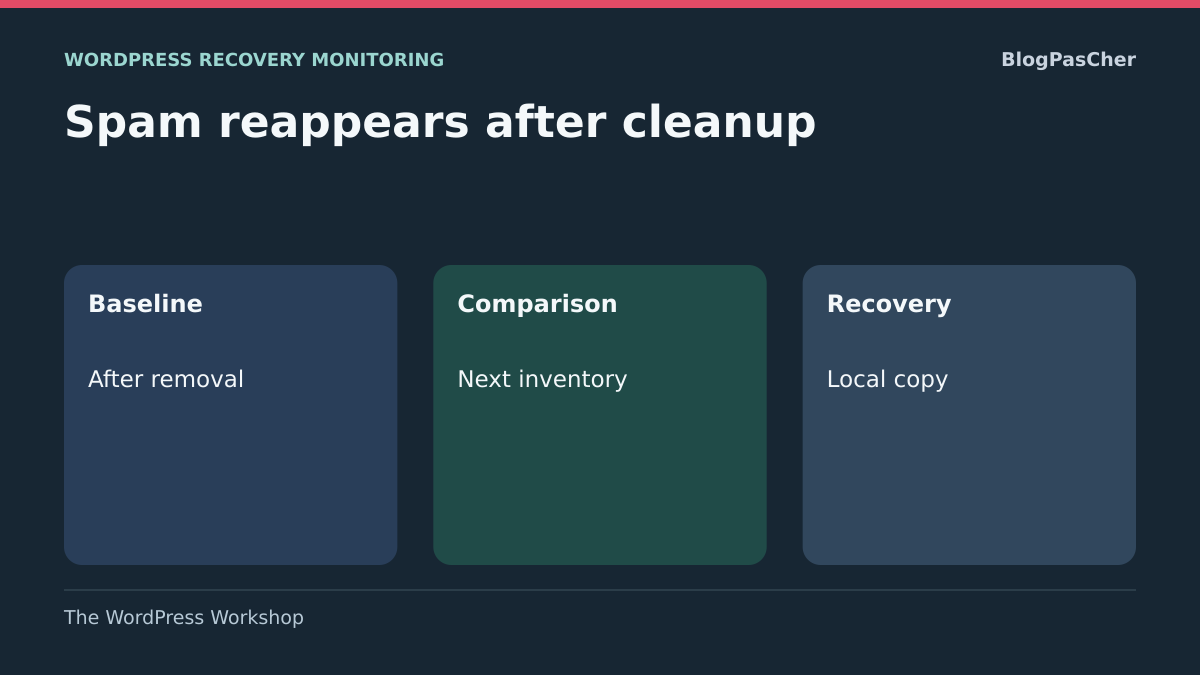
Do not repeat a cleanup whose scope remains unknown
After an authorized intervention, an owner receives a new report about a spam page or a file already removed. An old display, a restored copy or a process still active may explain the finding. Review available records and identify the correct installation before deciding on another cleanup.
Prepare a reference inventory, tracking record and recovery criteria with the owner and hosting provider. The record must distinguish an old report, an actually observed write and a cause still to be established.
Notify the owner and hosting provider. If visitors are exposed to a fraudulent page, redirect or dangerous download, request suitable immediate containment. Preserving evidence must accompany risk reduction; it must not be used to keep a dangerous page open while waiting for a perfect investigation.
Build a timeline from the states actually observed
Record the affected URL or path, discovery date, removal time and return time, with time zones. Describe the first cleanup precisely: files replaced, content removed, restoration, access closed and components updated. A general “site cleaned” note does not reveal what was addressed.
Keep available reports and private copies before starting again. An authorized person can compare the old item with the returning one, particularly their content or hash. The same name does not prove identical data; a modification date does not necessarily identify who performed the write.
Also record normal operations near the reappearance: import, deployment, restoration, synchronization or scheduled job. This correlation provides a lead, not proof against the named tool. Do not rerun these operations on the live site merely to see whether spam returns.
Record the WordPress version, hosting type and available access without assuming every screen or log exists in your plan.
Choose between an old display, a persistent mechanism and remaining access
The first approach checks exactly what is reappearing. An old search result or cached page may show a removed version without new content having been written in WordPress. Compare the display with the current state of the correct installation.
The second looks for a persistent mechanism: a component, job or content not covered by the initial intervention. It applies when the new item really is present in files or the database although the presumed entry point has been addressed.
The third examines access or a source of reintroduction: an account, hosting, integration, backup or deployment chain. It becomes essential if the modification returns after a specific opening or process. These leads may combine. Do not declare access innocent because a file was deleted, or a new intrusion because a search engine still displays an old title.
Approach 1: compare the display with the correct installation
First confirm the domain, server and environment that were cleaned. An old copy still connected to the domain or a forgotten subsite may explain a different result. Ask the provider to match the intervention path with the installation actually served, without moving files as an experiment.
If the report already comes from Google, consult the indexed state of the reported address in the authorized Search Console property. Compare its date with the finding already recorded by the maintainer. The indexed state corresponds to the last version known to the search engine and may predate cleanup.
Consult the cache record available in your provider’s dashboard and compare it with the reference inventory. If it shows an earlier copy, request targeted invalidation of the already identified page. A documented new write at the source calls for examination of authorized processes and access.
Confirm a new write without executing the suspicious file
An authorized person can check for the content in the correct database or the file at the relevant path. For a page, record its ID and status rather than drawing conclusions from a search snippet. For a file, preserve its information and a protected copy according to the incident procedure.
Do not open a suspicious PHP file in the browser or run it to see what it does. Do not load an entire archive into a test site connected to production either. Analysis must take place in a separate environment prepared for this task.
Compare before and after items with the maintainer. A file already present may simply have been renamed, restored or made visible differently. Once a new write is established, investigate what could have performed it at that time. A different hash confirms different content without identifying its origin by itself.
Contain the site with clear responsibility and scope
Open a private ticket through the hosting provider’s known customer account. Supply the timeline and request preservation of the state plus suitable containment. The person responsible must specify what is restricted: administrative access, writing, an integration or public delivery. A simple maintenance page does not guarantee internal mechanisms have stopped.
For a store, identify recent orders and payments to preserve. On shared hosting, specify the other sites in the account. Do not stop a server or shared queue yourself when you do not know its uses. The provider must choose a proportionate, reversible action.
Also define who can authorize recovery and which checks are required before reopening. Temporary disappearance of spam is not that criterion by itself. Keep records of measures and their times to understand whether recurrence continues while some access is actually closed.
Approach 2: review what the first cleanup actually covered
Revisit the initial report with the provider. WordPress core, themes, plugins, media, database and configuration are not one interchangeable set. Replacing some program files does not necessarily remove database content or a modification elsewhere.
Use integrity results already recorded by the maintainer. Request the compared versions, check scope and exceptions. For an already reported file, stay with the item identified in the private record. A discrepancy must be interpreted with the person who knows the deployment.
Have the checked scope and exceptions recorded. Do not run a series of commands inside a suspicious installation without an environment prepared by the maintainer. An integrity check is a comparison tool, not certification that the database, hosting access and all integrations are clean.
Examine less visible components and external sources
The usual plugin list does not necessarily represent all loaded code. Must-use plugins, or mu-plugins, are activated automatically in the installation. Their presence may be entirely legitimate, particularly on managed hosting. Calling them unknown is not enough to conclude they are malicious.
Ask the maintainer to match these components with the hosting provider’s tools, agreed developments and expected versions. They must check origin and scope before correcting anything. Do not delete the must-use component directory to obtain a shorter list.
Also examine imports, editorial tools, storage areas and third-party services that can reintroduce content. An old copy used as a source may put back what was just removed. For each path, identify its owner, sent data and access used. A recognized integration also deserves checking if it matches the return time.
Correlate recurrence with jobs without emptying queues
A scheduled job can create data or call an external service. WordPress has WP-Cron, normally triggered by site activity; hosting may also use its own scheduler. Reappearance at a similar interval provides a lead without proving which system produced it.
Have the job name, registering component and available times recorded. The maintainer must compare this information with logs and new writes. A job with a technical or unfamiliar name is not necessarily hostile. Some legitimate synchronizations may also rerun an import containing unwanted content.
Do not empty all jobs or click Run to test a hypothesis in production. A queue may manage payments, notifications or inventory. If a mechanism is identified, prepare its targeted suspension with its owner, backup and business consequences. Keep useful evidence before changing its schedule.
Assess a restoration without reintroducing the problem
An older backup may provide a recovery basis, but age does not prove it predates every compromise. Have several available points examined and compare their dates with the timeline. An already modified copy may restore the same components or accounts.
Prepare restoration in an isolated environment with a separate database and external effects neutralized. Payments, emails, synchronizations and deployments to production must remain disabled for this analysis. The copy must allow content and version checks without accidentally contacting real services.
Before any production replacement, identify recent data to preserve: orders, accounts, posts and business operations. Reconciliation depends on the site and is not merely copying a few SQL rows. Keep the current state for investigation and recovery. If the cause is a source reinjecting data, restoration without correcting that source is insufficient.
Approach 3: close access and sources of reintroduction
The owner and hosting provider must review access capable of writing: WordPress accounts, customer account, file transfers, deployment tools and integrations. Check expected identities, recent changes and permissions still needed. A known user may have lost control of their account.
From a trusted device, arrange closure or rotation of the affected access with its dependencies. Changing only your profile password does not necessarily address other accounts, sessions or access tools. The person responsible must know what was revoked and what remains active.
Do not create extra administrators to try to regain control or turn a suspicious account into the main account. Preserve its identity and content useful to the case. If modifications continue despite blocking some access, this narrows the search; it calls for analyzing other paths, not simply repeating the same rotation.
Correct the cause before restoring the production chain
The final intervention must explain the identified weakness or mechanism: a vulnerable component, compromised access, altered data source or incorrect deployment procedure, according to the evidence. An update may be necessary, but verify that it addresses the problem and does not restore an unwanted copy.
Have replacement versions obtained from the component’s official sources while preserving necessary customizations. Files, database and settings must form a consistent set. A partial core reinstallation does not automatically erase spam content stored elsewhere.
Also check sources that may be used later: deployment archives, selected backups and external storage. Identify them before reintroduction. If the cause has not been determined, say so in the record and have the owner choose a controlled recovery. Disappearance of the visible item alone does not justify declaring the site permanently cleaned.
Adapt the investigation to WordPress.com and the Multisite network
On WordPress.com, use the recognized owner’s account and support. Consult available activity-log events and have the site’s restoration options confirmed. Record the period actually covered by the log and the items the provider still needs to check.
Do not transplant a file-deletion procedure into a managed area. Distinguish platform-provided components from installed integrations. If a necessary function is inaccessible, send the evidence to support rather than replacing security tools.
In Multisite, users and some components are shared. An intact subsite may depend on the same code as an affected one. The network owner must examine that scope and other affected sites before collective recovery. A local correction or backup of one subsite does not prove the whole network has been addressed.
Compare inventories and decide whether recovery can continue
The fictional Maison des Saules site removed a reported page and file. The team prepares three dated records in its private case folder. The first describes known items before removal. The second establishes the observed state after cleanup. The third covers the same scope after the time when the problem used to return. Use the same time zone or convert times to UTC. Identify the site and environment on each record.
On WordPress.com, rely on the log and restoration options available for the site. On independent hosting, ask the provider for records of the site and operations it manages. The tracking sheet distinguishes an item’s presence, the origin of a write and the owner’s decision.
- Prepare the post-cleanup reference from the owner’s inventory or records supplied by the hosting provider. For a page, record its administration ID and status. For an already reported file, ask the maintainer for its identifier or known path in the private record and, if available, its hash. State what the record covers and what is missing. Absence can be interpreted within the scope actually covered.
- Compare it with the next record. Classify added, removed or modified items. In the exercise, fictional entries PAGE‑72 and FICHIER‑19 are present before removal, absent from the reference and present at the next check. A working post saved between the two records also appears. The editorial log confirms its expected publication. The other two entries are reported to the owner as an observed reappearance. A nearby time in the synchronization log gives the hosting provider a lead. An event linking the process to the write is needed before assigning the cause.
- If only an old title remains visible in a report already received and the two comparable inventories show no return, record “no new write observed within the checked scope.” Specify the report date and any gaps in the record. If inventories concern different environments or the log period is missing, classify the result as undetermined and request the additional record through the usual support channel.
- Prepare recovery on an isolated local copy with fictional data and emails, payments and synchronizations neutralized. Compare the candidate backup’s inventory with the reference and reported items. In the exercise, reject the backup containing PAGE‑72 and FICHIER‑19. Check that the restored copy retains the reference page and that the recovery plan preserves legitimate content created after the backup. For a real site, the owner must also validate consistency between files, database and recent data to reconcile.
- Give the owner a recovery criterion for each function. The result must combine documented correction, expected operation on the copy and a record at the relevant time. If the cause remains uncertain, the owner may choose limited, monitored recovery while maintaining necessary containment. If an item returns, a check remains impossible or a useful function fails, suspend the affected recovery step. Keep the records and last private reference backup. Give support the times, scope, useful identifiers and next expected decision.
Provide a precise conclusion and preserve the ability to investigate
The resolution report must state what was old, what was actually recreated, the identified mechanism and access addressed. Record chosen versions, backups used, recent data preserved and checks performed. Distinguish documentary verification of a component from tests actually performed on your site.
If personal data appears exposed, inform the person responsible for protecting it so they can assess the situation. Do not publish a suspicious file, exported database or token to prove the problem. Use the private channel agreed with the provider and limit attachments to analytical needs.
To prevent reintroduction, document deployment sources, integration owners and essential jobs. Keep separate backups and verify recovery mechanisms. When a cause remains uncertain, retain that qualification: sound follow-up must explain what is controlled and what still requires investigation.
Check devices and sources that still have access
If writes return despite replacing site files, the investigation must include devices and tools capable of connecting to it. A compromised maintenance computer or altered deployment archive may reintroduce a modification after a server-side correction. This remains a hypothesis to document, not an accusation against the last person connected.
The owner compares the new write’s time with authorized connections and deployments, then has the relevant device or source checked according to internal procedure. New secrets must be created and used from a trusted environment. Keep server-check results separate from access-method checks. Resuming normal deployment must use an identified and verified source; automatically restoring the latest available archive may put the same item back. No WordPress cleanup command replaces this check of the write chain.
Sources and references
Use these references to check the features, requirements and limitations described. Reading documentation is not a practical test.
View 13 references
- NCSC: analysis, containment, remediation and recovery ↗
- Canadian Centre for Cyber Security: responding to defacement ↗
- Canadian Centre for Cyber Security: website security considerations ↗
- Google: inspecting an indexed URL and live testing ↗
- Cloudflare: cache behavior and rules ↗
- WordPress: must-use plugins ↗
- WordPress: WP-Cron scheduling ↗
- WP-CLI: verifying repository plugin checksums ↗
- WP-CLI: checking WordPress core ↗
- WordPress.com: steps after a suspected hack ↗
- Canadian Centre for Cyber Security: backing up and verifying recovery ↗
- WordPress: Multisite network administration and components ↗
- WordPress: device and access security ↗