

Identify necessary writes on a local copy
In a fictional local copy, importing a demonstration file eventually worked after permissions were broadened. To determine which writes are actually necessary, record the owner, group or access entries, then reduce the excessive permission on one object. Repeat the same action with the intended demonstration identities.
Start by isolating the copy. Give it a separate directory, local address and database. Load fictional content and accounts, then disable outgoing email, payments, tasks and integrations. Check that copy paths do not point to real-site files. A copy on NTFS or a container mount does not necessarily reproduce Linux-hosting rules.
Dashboard roles control actions within WordPress. File permissions govern access by system users and processes. If refusal concerns a dashboard function after login, start by checking the WordPress account’s capabilities.
Record change scope before any correction
Find what changed: one file, one directory, all descendants or the entire installation. Note the command or panel action used if known, without rerunning it. Keep the date, domain and observed values. A recursion checkbox may have affected far more than the visible item.
Record the WordPress version, panel and PHP execution type with the technical administrator. Identify a backup preserving useful data, but do not assume an archive necessarily restores every original owner and permission. Ask what the tool actually preserves.
Keep reliable hosting-account access during the intervention. If the site can no longer read its configuration after a restriction, that access must allow targeted correction. For the exercise, record only the reference file’s state and retain the ability to restore it on the copy.
Understand the three pieces of information determining access
On a typical Linux filesystem, an object has an owner, group and permissions. Owner, group and others do not mean WordPress Administrator, Editor and Author roles. They concern server accounts and processes.
Permissions distinguish reading, writing and execution. For a directory, traversal permission allows access to objects whose names are known. A parent-directory restriction can therefore block a file whose permissions seem correct.
You must also know under which identity the operation fails. The SFTP account, web server and PHP are not always the same user. PHP-FPM, when used, has a configured execution user and group. The correct setting depends on the identity configured for the task.
Record the reference state before changing it
- On the copy, choose a dummy
temoin.txtfile and note its path, volume, owner, group and permissions. Also record parent-directory rules. On Linux, check for an ACL and keep its entries and mask. Choose a regular file on the copy, without a symbolic link. Keep a before-change record to restore the exercise’s exact state. - Name the test identities. In the example,
atelier-appis the fictional owner and writes to the reference file. A separate reading account without administrative privileges needs read access but no write access. The account opening the terminal may differ from the application process. On real hosting, the provider must confirm identities and expected policy before applying this elsewhere. - Classify the discrepancy. If the expected owner matches and an additional permission is clearly identified, correct that permission on the reference file. If ownership differs, an ACL or inheritance is missing from the record or the volume is managed, request a targeted check before changing the mode. If the initial problem is an installation refusal, consult installation-directory diagnosis.
On Linux, read the reference file’s mode and owner
On a local Linux copy with GNU tools, enter the isolated test directory. In this example, the fictional file has mode 664, group write permission is unnecessary and no extended ACL applies. The fictional owner is indeed the identity that should write. First run only the read. A change is indicated only if the name, type, owner and group match the exercise record.
stat -c '%A %a %U:%G %n' -- ./temoin.txtOn Linux, remove unnecessary write access from the reference file
In this scenario, remove group and other write access from this specific file, then repeat the same measurement.
chmod go-w -- ./temoin.txt
stat -c '%A %a %U:%G %n' -- ./temoin.txt
Interpret the Linux reference result
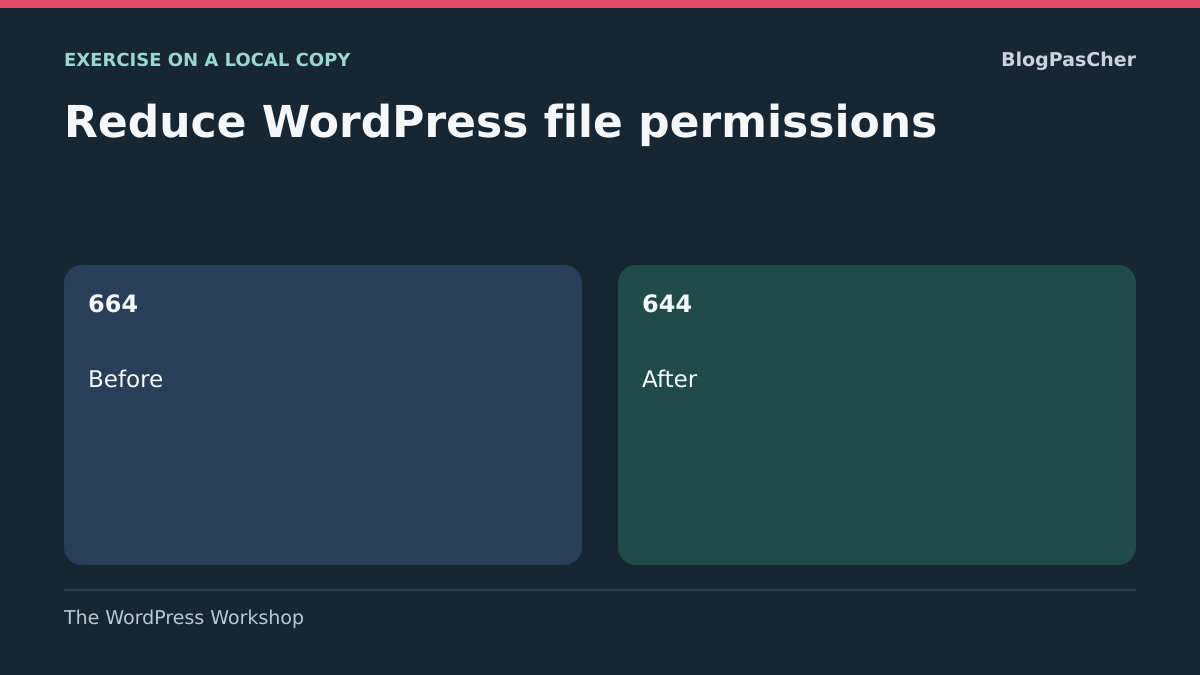
The record should change from 664 to 644 with the same owner and group. The owner retains write access and the group retains read access. This result depends on the exercise’s stated need. If PHP writes through the group, removing that permission may block the function. If an ACL is present, have its mask and entries’ effective permissions checked before reusing this procedure.
Then repeat reading and writing with the intended demonstration accounts. Owner writes must succeed and reading-account writes must fail. Check that required identities can still traverse parent directories. Also check write access to the parent directory. On an ordinary directory, this may allow replacing or deleting a file even when direct writes to that file are refused. If the reference file needed private read access, this exercise’s mode would not meet the need. If testing fails, return to the copy’s initial record and correct the model before trying again.
On Windows, reduce an explicit access entry
On an NTFS copy, open Properties → Security → Advanced on the reference file. Record the owner and whether entries are explicit or inherited. For an additional PowerShell read, enter the exercise directory and use the following command on the fictional file.
If the excessive entry explicitly belongs to the demonstration account and is specific to it, select that entry alone. Remove Modify permission or replace it with Read according to the intended need. If inherited, identify the parent and ask the administrator to confirm the level at which the rule should change. Then test allowed reading and refused writing with the fictional identities, plus writing that must remain allowed. If testing fails, restore only the documented reference entry or recreate the file from the exercise baseline.
On managed Windows hosting, have support confirm the execution account and inherited rules. On shared Linux hosting, the provider may impose an owner or group according to site isolation. On an administered server, identify the actual service account and volume involved. Differences between these environments limit the local conclusion’s scope.
On an NTFS reference file, replace only the fictional identity’s explicit Modify permission with Read. Check that the owner, other entries and inheritance remain identical. Use a separate session to test each identity’s effective permissions, then restore the permission list recorded before testing. Reading the list alone does not validate the second account’s actual access.
Get-Acl -LiteralPath '.\temoin.txt' | Format-List Owner, AccessToStringCheck hosting-panel options
In cPanel, open File Manager, select the affected file or directory, then Permissions. Checkboxes or the numerical value let you prepare the confirmed mode. Check the selection before Change Permissions. Do not retain a suggested default merely because it is already displayed.
In Plesk for Linux, follow Websites & Domains, the domain, then File Manager. Select the item and Change Permissions. Keep recursive modification unchecked for this targeted test, then save. If the button is absent for a file owned by another system user, involve the host.
If your copy has the same panel, reopen its reference file’s details and perform the planned fictional test. If the value did not change or a new error appears, record the message and request targeted correction. Maintain the appropriate restriction during diagnosis.
Approach 2: have the owner or group corrected
After restoration, files may belong to an account different from the one running the site. Someone connected through SFTP may successfully write while PHP fails, or vice versa. Give support the precise path and results in both contexts when known.
Ask which user should own files, which group is intended and which identity performs the WordPress action. With PHP-FPM, the site pool has user and group parameters. The maintainer confirms the identity in the site’s effective configuration.
Ownership correction must remain limited to approved scope. Do not ask for the entire hosting account to belong to the web server or for a shared owner across sites without reason. After intervention on the copy, record new values and repeat the same fictional test. If the error persists on the copy, have other restrictions checked.
Approach 3: rebuild a policy after a recursive change
If an action affected the whole directory tree, request an inventory before bulk repair. Separate program files, media directories, caches, configuration items, deployment tools and private content. They must not mechanically receive the same mode.
The administrator prepares a policy per group, appropriate to this hosting environment’s owner, group and write needs. Identify exceptions, particularly directories created by a plugin or service. Another working site on the same server is not necessarily an identical model.
Application can be progressive: correct one group, check reading and necessary writes, then continue. Keep the prior record and the ability to undo a specific step. A recursive operation may also affect shared directories or symbolic-link targets. Have the provider confirm these boundaries before any global operation.
Read values without turning them into a universal recipe
In common three-digit notation, positions correspond to owner, group and then other system users. Values combine reading, writing and traversal or execution rights. Mode 777 grants all three rights to all three categories. Mode 666 notably grants file-writing access to everyone.
The digits do not identify the owner or the process’s groups. Thus, a directory not open to everyone may remain writable by PHP if PHP acts as the authorized identity. Conversely, a common mode does not fix an incorrect identity.
“Others” does not simply mean anonymous browser visitors. A file may be read by the server and then served over the Internet according to configuration. For confidential documents, protection must also consider HTTP access. If a panel shows special permissions or additional entries, ask the administrator to interpret them.
Preserve hosting-specific rules
Some domain roots have a specific access policy. For example, cPanel EasyApache may use FileProtect to restrict reading to intended identities. A root not showing the common mode expected by a tutorial is therefore not necessarily misconfigured.
Ask the provider whether such protection is active before touching the site’s parent directory. Do not disable an isolation mechanism to apply a familiar value everywhere. It may protect several domains and fall under server administration.
The same principle applies to private files, particularly configuration containing database credentials. Necessary services must retain read access without opening files to other users unnecessarily. A restrictive value chosen without knowing the reading identity may cause an outage. Have the policy and actual configuration path confirmed.
Examine ACLs and inheritance before removing exceptions
ACLs are access lists that can add named permissions to the owner/group/others model. A directory may also pass permissions to subsequently created objects. The three displayed digits therefore do not always describe the entire policy.
Have the administrator record these rules before repair. Removing an entry or changing a mode may alter effective permissions beyond what a simplified panel appears to show. Do not remove all ACLs to restore a “clean” appearance.
On Windows, permissions and inheritance use a different model. In Plesk, the screen may show users, groups and Allow or Deny checkboxes instead of a Linux mode. Do not convert those rules into 644 or 755. Have the inherited rule and affected service account examined while preserving entries needed for hosting.
Check newly created objects and remaining restrictions
After correcting a media or cache directory, examine a new object created by the normal mechanism. An existing file’s mode and a future file’s mode are not necessarily identical. The creation mask, called umask, and inherited rules may influence new permissions.
If every new upload recreates overly open permissions, do not manually correct files after each use. Have the transfer tool, processing or configuration creating them examined. Request a rule suited to that service without changing the entire server’s mask for one site.
If writing remains refused despite expected permissions, also have system restrictions or a read-only volume checked. Broadening permissions further cannot lift every restriction. Send the exact message and affected path to the provider while leaving protections active.
Adapt the correction to WordPress.com and multisite
On WordPress.com, some files and directories are managed by the platform and cannot be freely changed. Components may be shared through symbolic links. For these areas, have the platform check access policy.
Send support the path, change applied and affected function. Available file access depends on your environment. For a managed area, follow the provider’s procedure. A dashboard refusal may also concern account capabilities, separate from disk permissions.
In multisite, confirm whether the directory belongs to one subsite or is shared. The network administrator must approve a change affecting common files. A local administrator must not open the entire installation to allow media upload on their site alone. Checks must cover the affected function and potentially affected sites.
Check intended writing and expected refusal
- Repeat on the copy the operation justifying write access. For example, have an authorized fictional WordPress account upload a small demonstration image. Check that the interface confirms success and the created file exists with expected permissions. To verify file writing, prefer a route actually writing to disk. A draft saved in the database may succeed while media upload fails.
- Repeat a negative check on the same copy. The fictional reading identity must read its reference file and be refused modification. Check that the chosen program-file reference remains read-only for the application process if local policy requires it. Compare the application-created file’s permissions and identity with the record, because creation and inheritance rules may differ from permissions on existing files.
- Stop the exercise if an unexpected object changes or an authorized function stops working. Compare the result with the initial state, restore the latest targeted change on the copy and verify the identity executing the action. For an upload failure, the WordPress disk-write refusal guide helps distinguish the temporary directory, storage capacity and destination.
- Note success conditions and limits. Give the administrator the relative path, expected writing identity, before-and-after rule, positive and negative tests and tested or planned rollback. For a managed environment, ask the provider to confirm the equivalent rule and exact scope. Successful local testing allows a precise request.
Assess the past period and prevent another blanket opening
Note how long excessive permissions were applied and their scope. This does not prove an intrusion occurred. The owner or host may nevertheless need to examine file changes and access during that period, especially if other anomalies appear.
Unknown files, unrecognized administrators or unexpected redirects require separate investigation. Reducing permissions does not automatically remove existing malicious content. Preserve evidence and have the security lead coordinate necessary measures.
Finally, keep the established cause, expected modes and identities, exceptions and checks performed. Have future deployment or transfer settings documented. Prevention means fixing the mechanism that required opening permissions, with an identified contact, instead of keeping a global permissions command as the usual response to every error.
Do not infer HTTP exposure from file mode alone
Reading through a system account and downloading through a browser answer two different questions. A private file readable by PHP may still be publicly served by incorrect web configuration. Conversely, HTTP refusal does not describe every possible local access.
For a configuration or backup file, have the maintainer check its location and server rule without downloading or sharing its real content. A dummy file placed within the same scope on the copy can test expected refusal. Keep this check separate from the Linux or NTFS permission reference: correction is complete only when the authorized service can do its job and the public route respects intended confidentiality. Then remove the dummy file and keep the rule record instead of leaving a diagnostic file on the site.
Sources and references
Use these references to check the features, requirements and limitations described. Reading documentation is not a practical test.
View 11 references
- WordPress: modes, service identity and risks of open permissions ↗
- cPanel: change permissions in File Manager ↗
- Plesk: Linux permissions, Windows rights and recursion ↗
- PHP: FPM process user and group identities ↗
- Linux ACL: named access and inheritance ↗
- cPanel EasyApache: FileProtect policy for site roots ↗
- WordPress.com: file permissions and managed environments ↗
- Linux: creation mask for new files ↗
- GNU Coreutils — Read mode and ownership with stat ↗
- GNU Coreutils — Targeted permission reduction with chmod ↗
- Microsoft — Read permissions with Get-Acl ↗