

Understand what WordPress loads automatically
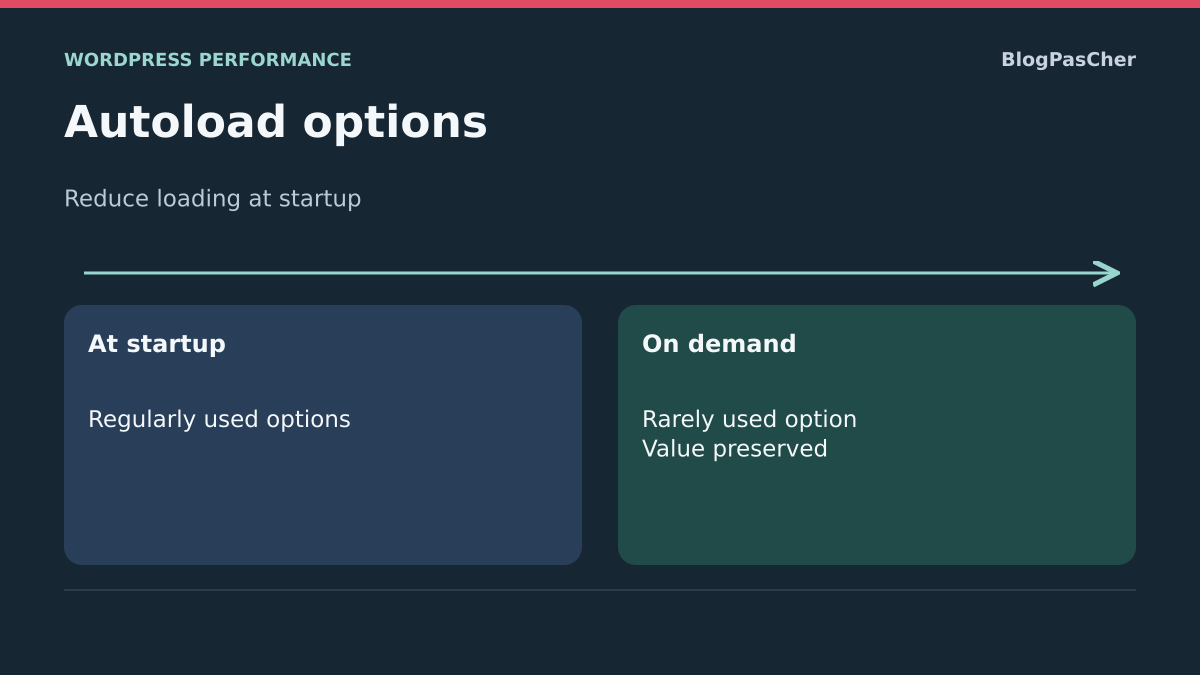
A large-autoload-options alert appears in Site Health, or a slowness analysis identifies a very large shared load. WordPress stores site, theme and plugin settings in its options table. Some data loads automatically to remain available during page generation. This property, called autoload, avoids separate reads when information is frequently needed. It becomes less useful for a large, rarely consulted volume.
Disabling autoload does not delete the option value. A plugin requesting it through the WordPress API can still read it. However, moving data used everywhere out of shared loading may add work instead of removing it. You therefore need to know its use, not just its size.
The desired result is loading suited to actual needs while preserving functions and settings. This guide starts with Site Health, offers an inventory without displaying values and then a targeted change on a copy. It requires no table deletion, cleaning of every prefix or switching every option off.
Confirm the alert in Site Health
With an administrator account, open Tools, Site Health, then Status. Expand the result concerning automatically loaded options. Record count, indicated size and date. If this check is absent, record your WordPress version and continue inventorying through available access.
The native check uses a default threshold of 800,000 bytes to flag a high volume; code can change this threshold. It is an analytical signal, not proof that a particular option is unnecessary or a universal target to reach by deleting data.
Also compare the actual symptom: page generation, administration, memory or initial waiting. A large autoload volume may contribute to cost, but a slow external API or PHP queue remains another possible cause. Retain two representative screens or pages for comparison. An already cached public page alone does not measure WordPress work.
Back up and target the correct installation
Inventory requires database read access or WP-CLI, WordPress’s command-line tool. Modification requires a test copy with a usable backup of its database and useful files. Keep backups outside public space because options may contain service credentials, private parameters or personal data.
Confirm the associated domain, WordPress directory and database. In examples, /chemin/wordpress-copie is fictional and must be replaced. On multisite, ordinary options belong to the targeted site and network settings form another set. Use suitable targeting before any command; do not assume one wp_options table represents every site.
Disable the copy’s external effects before loading its plugins: email, payments and synchronization. Do not use skip-all-plugins options for a measurement intended to reflect normal operation. Those options may change autoload policy or context. The first commands and SQL query below only read the inventory, not clean data.
Inventory with WP-CLI without displaying values
On the copy, open the hosting-provided terminal or an authorized connection, then check WP-CLI recognizes this installation. Consult local option list help before reusing parameters: an older version may behave differently. The following commands use the current selection of automatically loaded options and request only names, flags and sizes.
The first gives the total in bytes. The second supplies an inventory without the option_value column ordinary output may contain. Keep this output in a private folder if you need before-and-after comparison. Names themselves may reveal services used: avoid publishing a complete screenshot on a forum.
The table is not sorted by size here. Do not add an invented sort parameter for size_bytes: this output field is not among documented sorting columns. To obtain the twenty largest values without exporting contents, instead use the next section’s query. On multisite, add the global --url parameter with the exact relevant test-site address.
wp --path='/chemin/wordpress-copie' option list --autoload=on --format=total_bytes
wp --path='/chemin/wordpress-copie' option list --autoload=on --fields=option_name,autoload,size_bytes --format=table
Read the largest options with an SQL query
If you have phpMyAdmin, choose the copy’s database, then identify its actual options table. The prefix depends on configuration; prefixe_options is a fictional name to replace. In cPanel, phpMyAdmin is under databases where offered by hosting. Panel access does not guarantee every displayed database belongs to the intended site.
Open the correct database’s SQL tab, adapt only the table name, then run this SELECT. It reads names, flags and value lengths in bytes without displaying values. It contains no modification instruction. Do not subsequently click Edit or Delete for returned rows.
The four states correspond to current WordPress default automatic loading. A filter may reduce this list, explaining some differences from Site Health. An old search limited to autoload = yes may miss recent rows. This read may also require database work: perform a one-time inventory, not a query loop on a saturated server.
SELECT option_name, autoload, LENGTH(option_value) AS taille_octets
FROM prefixe_options
WHERE autoload IN ('yes', 'on', 'auto-on', 'auto')
ORDER BY LENGTH(option_value) DESC
LIMIT 20;
Attribute each candidate to its actual use
Start with a few large rows without selecting the entire table. Search for the exact name in relevant theme and plugin documentation or code. A recognizable prefix is a clue, not proof: several components may share a library or retain settings after migration.
For each candidate, determine who writes it, who reads it and when. An option containing configuration essential on every page may remain appropriate for autoload despite its size. A large computed result used only on an occasional administration screen deserves closer examination. Regularly rebuilt data must be addressed with its owner, otherwise your setting may disappear on the next execution.
Do not infer abandonment solely because a plugin is inactive. You may want to reactivate it and its settings may remain useful. If the author provides a documented cleanup procedure, assess it separately with scope and rollback. If origin remains unknown, retain the data and request analysis. Ranking by bytes never constitutes a deletion list.
Choose between retaining, changing autoload and deleting
Three different decisions are possible. Keeping a frequently used option avoids replacing shared loading with repeated reads. Removing only autoload may suit rarely requested data whose owner confirmed this use. Deleting the value is a separate operation with possible configuration or content loss; this guide does not use it as a shortcut.
Transients, sessions and ordinary options are not all cleaned the same way. Respect documented expiration or uninstallation. Do not apply a recipe for an old component to every row containing cache, transient or a commercial prefix in its name.
For the following steps, choose one option on the copy whose role is known and raw autoload value is currently on. This last criterion allows returning to the same flag value with the shown commands. If it is yes, auto or auto-on, do not present a later switch to on as identical restoration: the initial state differs and may participate in automatic policy.
Prepare a targeted correction on the copy
Define scope before any write: test site, exact option name, owner, screen using it and expected behavior. In the following commands, option_a_confirmer is a fictional example. Replace it with the verified name; do not paste an internet-found list or turn the command into a loop over hundreds of options.
Keep the initial total, candidate’s raw state and a restorable copy backup. Open representative pages once to identify functions to check. If the candidate concerns a store plugin, prepare corresponding workflows with fictional data and no real external transaction.
The set-autoload command has existed in WP-CLI since version 2.8.0. Consult local help and verify that the on and off values used here are recognized. If your environment lacks this command or syntax, stop this approach and ask the WP-CLI maintainer to intervene. Do not improvise an SQL UPDATE or tool update on the public site to continue the example.
Check the selected option one last time
Read one row again before writing. The command below searches for the chosen fictional name and retains the three inventory columns. Adapt path and name. The search parameter may accept patterns; do not add an asterisk for this check and ensure output contains exactly the one expected candidate.
The flag must be on to follow the exact rollback scenario described here. Size must also match your record without unexpected changes between reads. A continuously recreated value or option changing role after an update requires further analysis. An empty result does not authorize creating a new option with that name.
You do not need to display content to change its flag. If later investigation requires the value, perform it in a private environment with precautions suited to its content. Do not copy a serialized value into an editor to shorten its strings: this may make it unusable and does not address loading.
wp --path='/chemin/wordpress-copie' option list --search='option_a_confirmer' --fields=option_name,autoload,size_bytes --format=tableDisable only the candidate’s automatic loading
On the confirmed copy, run set-autoload with the exact name and off, then reread the row. The command changes automatic-loading behavior without replacing option content. WordPress also updates option caches through its API; this is one reason to prefer this route over direct SQL ignoring those mechanisms.
The expected result is an off flag for this candidate alone. Size should remain consistent with the initial record because the value was not deliberately reduced. Other plugin activity may nevertheless rewrite it; in that case, do not confuse variation with the command’s effect.
Then return to Site Health and repeat total inventory under the same conditions. You seek a decrease consistent with the candidate without settings disappearing. If an error appears, a screen loses configuration or the command affects another site, interrupt testing and roll back. Terminal success proves neither a speed gain nor functional compatibility.
wp --path='/chemin/wordpress-copie' option set-autoload option_a_confirmer off
wp --path='/chemin/wordpress-copie' option list --search='option_a_confirmer' --fields=option_name,autoload,size_bytes --format=table
Return to this test’s initial state
If testing is unnecessary or causes a fault, restore on for only the option initially having that state, then reread it. Next check relevant screens and functions. Restoration of the flag does not guarantee another action performed during testing was undone: also compare expected settings and available logs.
This rollback is deliberately bounded. The current API normalizes loading choices to on or off. It does not necessarily restore the historical yes label or automatic states when simply asked to reenable autoload. For a candidate originally bearing one of those states, have an appropriate controlled backup-based procedure prepared before any change.
If another manipulation altered the value itself, restoring autoload does not repair it. Restoring the copy from backup may then be necessary with the environment manager. Do not restore a complete old database on a public site that has since received orders, accounts or messages.
wp --path='/chemin/wordpress-copie' option set-autoload option_a_confirmer on
wp --path='/chemin/wordpress-copie' option list --search='option_a_confirmer' --fields=option_name,autoload,size_bytes --format=table
Measure the result without confusing caches
Compare autoload total, generation time and functions under similar conditions. Reduced volume indicates changed shared loading; it does not alone measure time saved. An option requested shortly afterward may be read individually, moving work instead of removing it.
With persistent object caching, database reads may already be reduced while transport and handling of large data remain possible. A page cache may hide all WordPress generation from visitors. Therefore distinguish a cached public page, a page-rebuilding request and administration. Do not purge every cache between clicks without recording the measurement effect.
Repeat a few identical workflows instead of concluding from one favorable duration. Also check when data is actually used: that is where removing autoload may add a read. If the gain is negligible or cost shifts to an important function, return to the initial state and examine another slowness cause. Removing the warning does not justify regression.
Understand automatic states and rewritten values
Since WordPress 6.6, default policy may avoid automatically loading a large option on addition or update when the developer has not explicitly requested it. The relevant size threshold defaults to 150,000 bytes and may be filtered. This mechanism is not retroactive cleanup of every old row.
auto, auto-on and auto-off states reflect this management, while on and off express an explicit choice in current behavior. Do not try to standardize them merely to simplify a table. A plugin may also impose its own choice on every save: your local correction will then be rewritten, sometimes after an apparently unrelated operation.
When the flag regularly returns, document the name, component version and triggering action. Send this evidence to the maintainer to examine storage policy or data size. A periodic script setting every option off hides the problem, may cause repeated writes and prevents understanding actual component needs.
Prevent accumulation and provide a useful case record
After a successful test on a copy, prepare limited intervention with the public-site owner: recent backup, exact option, expected state, checking workflow and rollback ability. Record date and result to understand later variation. Recheck the relevant workflow after the owning component’s next update.
Keep a reasonable periodic volume record, particularly after migration or adding a major component. Compare changes instead of systematically cleaning every week. During uninstallation, read what the developer offers to retain or erase and decide according to the need to reuse settings.
To request help, provide versions, slowness context, autoload total, a few candidate names and sizes and any action rewriting them. Hide private information and do not attach a complete table export. A precise record helps choose between retaining loading, revising oversized data or fixing its owner, with justification for each option.
Check a reference option end to end on the copy
For the exercise, prepare a fictional automatically loaded option of known size on a copy, for example 880,000 bytes. Compare name, flag and size returned by WP-CLI and SQL without displaying the value. This control distinguishes reduced loaded volume from data deletion.
Also compare results when WordPress actually generates the page. Acceptance testing validates changing an option and rolling it back. To know whether it improves your installation’s speed, measure the same pages under the same conditions.
- Record the initial total, candidate size and exact state. Note a screen reading this option and a screen that must continue functioning independently.
- Switch the candidate from on to off. The total should decrease by an amount consistent with the removed row. For the 880,000-byte control, check a consistent decrease and confirm WordPress can still read the value on demand.
- Restore on when testing ends or reading adds problematic cost. Reread state and total. Both should return to their initial state; also check the secondary reference option remains intact.
Separate cache from database during verification
After set-autoload, a difference between an SQL read and WordPress behavior may come from object cache or rewriting by the owning component. Record each read’s time and perform one more read in the same environment. The WordPress API adjusts relevant option caches; direct SQL modification provides no such guarantee.
Do not use a global cache flush as a required step for every measurement. It may slow every subsequent request and make comparison misleading. If cache actually retains inconsistent state, have the cache and key identified with the maintainer before targeted invalidation. Keep two separate measurements: automatically loaded volume and duration of the workflow actually reading the option. Lower volume accompanied by more expensive repeated reads is insufficient improvement to retain the change.
Sources and references
Use these references to check the features, requirements and limitations described. Reading documentation is not a practical test.
View 15 references
- WordPress: autoload options check ↗
- WordPress: values triggering autoload ↗
- WordPress: large-option policy since6.6 ↗
- WP-CLI: option inventory ↗
- WP-CLI: change autoload only ↗
- WordPress: flag and cache modification API ↗
- WordPress: option reading and cache, official source ↗
- WordPress: option loading and caching ↗
- WordPress: table prefix ↗
- cPanel: phpMyAdmin access ↗
- phpMyAdmin: official guide ↗
- phpMyAdmin: SQL queries ↗
- MySQL: length in bytes ↗
- WordPress: database backup ↗
- WordPress: cache types ↗