

Record the failing name and keep two references
In a self-hosted WordPress multisite network, the main site may work while a browser cannot reach a subdomain subsite. Take the exact address from the site record’s Visit link if accessible. Note the hostname alone, complete URL, failure time and displayed message. Ask whether failure occurs on one computer, the organization’s network or several connections. These details allow comparison without relying on a browser shortcut or an address reconstructed from memory.
In this exercise, the copy network is named reseau.test. The main site is accessible at that name, atelier.reseau.test is the working reference and archives.reseau.test is the name to examine. A fourth fictional name is used only to ask whether the test zone resolves new names at this level. Keep the first three addresses in your record and query them in the same session. Names under .test are reserved for testing. Use your isolated environment’s resolver for DNS exercises.
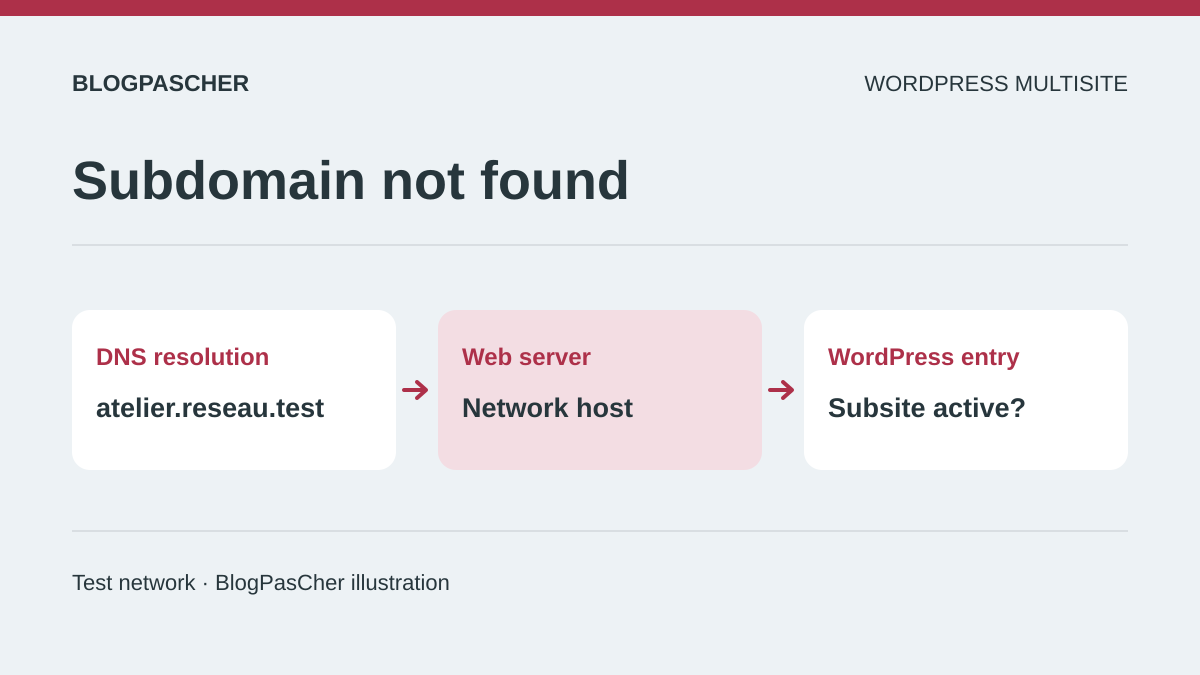
A resolution error occurs before the HTTP request. A 404 response, redirect to the main site or screen indicating an archived subsite means a server responded. Then note the name and service that actually answered. The response may come from a proxy, host or WordPress. Your first decision concerns the stage reached, then the team able to examine it.
Prepare the copy and necessary access
Work on an isolated copy or disposable multisite network with fictional users, pages and media. The server must be accessible only within the test environment. Use a test DNS zone or lab resolver for fictional names. A hosts-file entry may help an HTTP exercise on one computer. To examine a wildcard rule, use the intended test resolver and avoid hosts entries for measured names. A hosts entry is individual and demonstrates no DNS behavior.
Identify people authorized to read or change the zone, web-server configuration and subsite records. The network super administrator can check a site record. DNS and server changes require their own access. Record initial records and settings before correction and keep the copy’s configuration outside the web root. When several services use the same domain, also record names explicitly assigned to another service to avoid changing their destination.
Define the expected result before changing anything. The name must resolve to the expected web entry point, requests using that name must reach the correct installation and WordPress must then serve the intended subsite or apply its deliberate state. Choose a fictional page or title unique to each site to verify that final point. Preserve starting settings to undo only the change made. If you have only dashboard access, prepare observations and ask the relevant maintainer for external checks.
Compare resolution of the three names and interpret responses
Query the same resolver for the main site, reference and failing name. Request A for IPv4 and, when the service uses IPv6, AAAA. A CNAME alias may be normal if its target and resolution chain reach the intended service. Compare destinations with server or proxy documentation. Behind a CDN, the expected address may be the CDN’s. Several addresses may also be normal if they belong to the configured service.
NXDOMAIN means the received response declares the queried name nonexistent. NOERROR without data of the requested type may simply mean the name exists without that record type. SERVFAIL, refusal and timeout remain separate diagnoses. They may require checking resolver access, delegation or zone health. A correct IPv4 response does not validate IPv6 if an incorrect AAAA is also published. Record status and addresses separately to compare both families.
The command below uses PowerShell. Resolver 192.0.2.53 is fictional. Replace it with the test zone’s authorized resolver and replace names with your test references. If two resolvers differ, compare with the authorized authoritative server or zone itself. TTL and negative-response caching may explain why a correction is not visible everywhere simultaneously. Record time and resolver instead of announcing a fixed delay.
$dns = "192.0.2.53"
foreach ($nom in "reseau.test", "atelier.reseau.test", "archives.reseau.test") {
    Resolve-DnsName -Name $nom -Type A -Server $dns -DnsOnly -NoHostsFile
}
Distinguish a missing entry from an absent or misdirected wildcard
Compare the failing subdomain with a new name at the same level, such as sonde-libre.reseau.test. First confirm that this name has no explicit entry in your test zone. If the atelier reference resolves but the failing name and probe return NXDOMAIN, the reference may have an individual entry and no applicable wildcard rule answers those two names. Check the zone before concluding. Delegation of a subset, a name already existing with another type or querying the wrong zone can change interpretation.
If the probe resolves to the correct entry point but the failing name does not, examine explicit records, delegation and cached responses for that name. A wildcard rule does not fix an explicit entry pointing to another service. The probe tests behavior for an unused name at this level. It does not prove that every subdomain or deeper name receives the same response. Also record the main domain’s own record. The wildcard rule does not supply it.
Then choose a correction matching how sites are created. If the team creates subsites and names are known, one entry per subdomain may suffice. On-demand creation requires suitable wildcard routing according to WordPress documentation. Check effects on names reserved for other services before proposing a shared change. On the copy, compare responses before and after with exactly the same references.
Correct test DNS and verify that the change remains targeted
For one missing name in a manually created network, prepare the host-required record for that name in the test zone. Depending on the service, it may be an address or alias to a supplied name. First compare the complete name the zone interface will produce. Some interfaces automatically append the zone suffix. Keep the previous destination if an entry exists, check the type and enter TTL according to the team’s plan.
For on-demand creation, verify an appropriate record type is planned for the wildcard name at the correct level, for example *.reseau.test in this exercise. Also plan web-server and certificate support for the names. Add the entry only in the isolated zone, then query a new name and an already used explicit name. The first must reach the expected web entry point. The second must retain intended behavior. Record every exception and check that the main domain still resolves.
To roll back, restore the changed entry’s previous value or remove the added test entry. First check zone state, then repeat the record from the same resolver. An old response may persist after undoing. Note that difference if the reference server and resolver disagree. This procedure requires no change to permalinks, the WordPress database or the network-type constant.
- Note name, type, destination and TTL before changing the test zone.
- Check the main domain, reference and corrected name using the same resolver.
- For a wildcard rule, add an unused probe and explicit exception to the record.
Check the web server with the intended name
Correct resolution lets you reach an address. To determine which site responds, open the URL with its real hostname. An IP-only request may reach the default virtual host. If the page shows the wrong service, check the proxy, accepted names, virtual host and WordPress installation directory with the maintainer. Compare the reference page with the expected fictional title and record the HTTP code and any redirect destinations.
On the copy, you can temporarily force an address for one curl request. In the example, 127.0.0.1 is the copy’s address on the computer. The server listens on port 8080. The name presented to the application remains atelier.reseau.test and the connection directly reaches the copy. Adapt the port to your test server. This observation checks the web route independently of DNS. Also read the response body because a 200 code may correspond to a generic page.
If the copy uses HTTPS, check with the expected hostname that the presented certificate covers it and the computer trusts its chain. For a wildcard certificate, check its exact scope and coverage of the main name. A TLS failure may hide the subsite page even when resolution is correct. Keep the error and refer correction to the certificate administrator. If HTTP reaches the network but the homepage or posts return 404, continue with guide WP-146 indicated at the end of the article.
curl.exe --noproxy "*" --connect-to atelier.reseau.test:80:127.0.0.1:8080 -i http://atelier.reseau.test/Read subsite status in the correct network
As the copy’s super administrator, open My Sites, Network Admin, then Sites. Find the subsite record and compare ID, domain and path with the initial record. Check the current network when several installations share a server. A record may be absent while DNS responds through a wildcard rule. Conversely, an active record may exist while its name remains unreachable. Visit shows the site’s saved address and must be compared with the address actually opened.
An archived, spam-marked or deactivated site must be handled with the administrator who knows the decision. Keep archived, spam and deleted fields separate in the record. The deleted field may indicate logical deactivation in WordPress. Permanent deletion is another operation. Do not interpret public as a resolution test or guarantee of content access. Compare the expected page, exact site and state, then obtain necessary approval before reactivation.
For a maintainer already using WP-CLI, the following command reads the copy’s records. Adapt the network path and address. In the output, a record with the expected address and all three flags at zero provides a starting point. It does not validate a browser’s route. If the address is wrong, record the ID before editing a record on the copy. If the network recently changed addressing models, use procedure WP-150 before editing sites individually.
wp --path="D:/recette/wordpress" --url="http://reseau.test" site list --fields=blog_id,domain,path,archived,spam,deleted --format=tableReplay three cases on a fictional copy
First case. The workshop responds and test DNS knows neither archives.reseau.test nor the probe name. The Archives record may nevertheless exist. With a forced HTTP connection as in the previous test, a page bearing the Archives marker confirms that the server and WordPress can serve that site when the request reaches them. Add an individual entry in the test zone, then confirm it resolves Archives while leaving the probe absent. You have isolated resolution of the affected subdomain.
Second case. A wildcard rule resolves the unused probe to the expected entry point, but no WordPress record matches that name. Record the actual response, which depends on installation and settings. Resolving an unused name creates no record. In the same test, add a fictional explicit entry to a different service and compare its result with the probe. You can then distinguish the wildcard rule from the registered exception.
Third case. Archives resolves and the server serves the network, but the Archives record is archived. With a logged-out browser or sessionless HTTP request, record the message and compare with Atelier. Archived status is a WordPress decision independent of DNS. In a disposable copy, replay the transition and restore the starting state. Record DNS responses, HTTP status, subsite ID and displayed state. Results remain interpretable even if the host presents different error pages.
- Prepare an active reference, a name without a record and a fictional subsite that can be archived.
- Separately check resolution, the server reached and the WordPress record.
- Restore the test zone and records to their starting states.
Close diagnosis or forward observations
Revisit the same names from the same resolver, with and without the correction if the copy can be restored without affecting other tests. Check the main homepage, working reference and affected subsite’s marker page. If a wildcard rule changed, also check an explicit exception and unused name. The result is acceptable when every observation matches the intended state and references remain accessible. An intentionally archived state must remain archived.
Send the record to the responsible team, associating each observation with its layer. For DNS, provide name, type, resolver and status. For the web server, provide presented name, expected destination, HTTP code and final address. For WordPress, share the record’s ID and state through the intended channel. Omit secrets, management-panel screenshots and private addresses unnecessary to the decision.
When the name responds correctly but the homepage or posts still fail, follow the guide for new subsites returning 404. If several addresses changed form simultaneously, use the network conversion and rollback plan. In each case, keep DNS observations to avoid unnecessarily returning to the first stage and choose a new reference suited to the remaining failure.
Separate DNS wildcards from certificate validation
A wildcard DNS entry and wildcard certificate are different objects. The former helps route names; the latter must be issued and renewed through the intended mechanism. If using Let’s Encrypt, HTTP-01 cannot obtain a wildcard certificate: that requires DNS-01. The administrator may also choose certificates covering explicit names for a small network.
Before choosing automatic subsite creation, ask who manages renewal and how necessary DNS access is limited. Do not put a key granting access to the entire zone in WordPress merely to resolve one subsite failure. On the copy, check the name actually covered by the certificate and keep renewal configuration separate from A or AAAA records. Working DNS today does not guarantee the next TLS renewal.
Sources and references
Use these references to check the features, requirements and limitations described. Reading documentation is not a practical test.
View 9 references
- WordPress — Prepare a subdomain network ↗
- WordPress — Configure wildcard subdomains ↗
- IETF — Wildcard DNS synthesis rules ↗
- IETF — Negative caching, NXDOMAIN and NODATA ↗
- Microsoft — Resolve-DnsName ↗
- curl — Force a connection for one request ↗
- WordPress — Network administration ↗
- WP-CLI — Read site records and states ↗
- Let’s Encrypt: HTTP-01 and DNS-01 challenges ↗