

Recognize a domain-related login failure
The subsite displays on its new domain, but its form keeps returning to login, shows a cookie warning or redirects to the old address. The goal is a session that stays open on the correct subsite without breaking main-site access. An accessible public page is insufficient to validate this session.
This guide covers self-hosted WordPress Multisite where a subsite receives an independent domain, such as a store previously at boutique.reseau.example. Example domains are fictional. Domain mapping has been native since WordPress 4.5. An old tutorial always requiring a domain-mapping plugin therefore does not necessarily describe your current installation.
Record the WordPress version, network type and time of change. If the domain cannot be found, use the Multisite subdomain diagnostic. If login succeeds and an action is denied, have account permissions checked. When the form responds but the session does not persist, retain the first observed symptom before continuing.
Prepare rollback without losing network access
A subsite administrator does not necessarily have the access needed to correct its mapping. Arrange a super administrator for network settings and someone with SFTP or file-manager access for any configuration correction. That person’s working session must remain in their usual browser. Reserve a separate profile for tests.
Before any change, record the subsite ID, old address, expected new address and redirects already in place. A copy of wp-config.php must remain outside the public directory. If changing network data, also keep a consistent database backup. Do not replace a full backup with a screenshot of the Sites screen.
Define one hypothesis per intervention. Correcting an address typo and retrying lets you measure its effect. If you change the domain, cookies and proxy together, you will not know which setting had an effect. Also agree on rollback conditions: lost network access, regression on another subsite or no improvement in the targeted symptom. Rollback restores the saved value, not a value found in another tutorial.
Check the certificate and correct subsite before entering a password
Point both test hosts to the same WordPress copy. The server must present a valid certificate for every name used. First open the public page over HTTPS, then view certificate details in the browser. Check the name in the alternative names list, validity period and certificate trust. In testing, use the certificate approved solely for that environment. A certificate covering the network domain does not automatically cover an independent domain.
If a TLS warning appears, stop before authentication. Check the exact name, web destination and certificate with the maintainer. If a proxy receives connections, confirm that the certificate shown to the browser covers the requested page’s name and WordPress correctly detects HTTPS behind that proxy. Keep browser protections enabled. The guide to certificates not covering the domain details this diagnosis.
Once TLS is correct, check the title or fictional text specific to the subsite, then check the main site from another profile. The title confirms the site WordPress selected. The certificate address confirms the name presented by the server. Record both observations before testing the session. If several subsites change address structure simultaneously, follow the network-switching guide.
Check the address actually saved for the subsite
This first route applies when failure appeared immediately after entering the domain. With the super administrator account, open My Sites, Network Admin, Sites, then Edit beneath the affected subsite. In the Info tab, examine Site Address (URL). The label may vary with translation, but the site ID must match your record.
Compare protocol, hostname and path. https://exemple.example and https://www.exemple.example are separate hosts. An old /boutique/ segment retained without reason can also send administration to the wrong place. Use the address intended by this subsite’s architecture, retaining the required path for a network installed in a subdirectory.
If the value is incorrect, first copy the original, enter the correct complete address and save. Then open it in the test profile. The public page and form must stay on the expected host. If the domain reaches another site, return to server-mapping diagnosis before continuing. If a regression occurs, restore the original address through the retained network session. Change neither the main network domain nor SUBDOMAIN_INSTALL to correct a single record.
Try logging in directly at the canonical address
An old bookmark or a link containing a return destination may make authentication seem to fail. In the test profile, enter the subsite’s canonical HTTPS URL directly followed by /wp-login.php, retaining any installation path. Do not use a link received before domain mapping for this check.
Sign in once with your own authorized account, then open its dashboard and reload. Record the address before submission, final address and exact message. If direct login works but the bookmark fails, correct the access link or affected redirect. This result does not justify any global cookie change.
An independent domain cannot automatically receive a cookie intended for another independent domain. The same network account may therefore require fresh authentication on each. This does not mean the password changed. Single sign-on across domains requires an additional mechanism already designed for that purpose. Do not try to create it by giving the cookie a domain list: that attribute does not accept such a list. If the form also loops with direct access, observe the session now rather than repeatedly entering passwords.
Observe cookies without exposing their contents
Browser tools let you see whether the server proposes a cookie the browser rejects or does not resend. In Chrome, open developer tools, then Application, Storage, Cookies and the subsite origin. Translated interfaces may label Storage differently. Keep this inspection in the test profile to preserve backup sessions.
Record only WordPress cookie names, domains, paths, expiration and security flags. Their values are session secrets. Keep them out of tickets and screenshots. The Network panel, selecting the login request then Cookies, also helps read a blocking reason. Record that reason with the URL without exporting the whole session.
The declared domain must be compatible with the response’s issuing host. A cookie proposed for the old network domain from a new independent domain will be rejected. Its path must cover the next URL, and a Secure cookie requires HTTPS to be resent. Do not manually change these attributes in the browser: a local edit would temporarily mask server configuration. If a screenshot is needed, hide values before sharing and retain only columns useful to the hypothesis being examined.
Distinguish a rejected cookie from a redirect to the old domain
An absent persistent session does not by itself prove the cookie domain is incorrect. In the test profile’s Network panel, observe the form response and subsequent requests. Response headers include any Location destination and proposed cookies. A return to the old domain may precede any use of the new cookie.
If the new host already issues compatible cookies but navigation goes elsewhere, examine the redirect rule added during mapping. It may reside in the hosting panel, web server or an existing plugin. That layer’s owner compares the rule with the desired destination, then corrects only the identified rule. Deleting all network redirects is not a diagnosis.
The expected result is a stable flow: form, dashboard, reload, always at the canonical address. Rollback restores the saved rule if other URLs are affected. If the browser instead explicitly reports an incompatible cookie domain, retain that observation and move to the configuration route. Avoid sending a raw HAR file: it may contain parameters, headers and authentication data irrelevant to the initial exchange.
Correct a confirmed domain scope in wp-config.php
This route is reserved for the network maintainer when inspection shows the new independent domain receiving a cookie intended for the old domain. In a subdomain network, core may define shared scope from the network domain. A custom constant added previously may also impose that old scope.
Using authorized SFTP or the file manager, open the wp-config.php file actually loaded by this installation. Search for COOKIE_DOMAIN without displaying the entire file in a ticket: it also contains database credentials and secrets. An existing constant must be examined and replaced in place, not defined a second time. Hosting-managed configuration must be corrected at its management source.
For a network whose architecture accepts separate logins per host, the maintainer may choose an empty domain so cookies stay specific to the issuing host. This variant follows from constant behavior and PHP cookie emission. Reserve it for networks accepting independent sessions. It also changes login behavior between ordinary subdomains. The mapping documentation proposes another variant tied to the request host. Retain only one scope policy. Choose a single policy after inventorying the access the network must preserve.
Apply the per-host variant with a single definition
The following example applies only to the confirmed case above, after testing on a representative network copy and approval by the maintainer. It fixes neither an incorrect cookie path nor an external redirect. You must be able to restore the file immediately through SFTP if administration becomes inaccessible.
Place this definition in wp-config.php, after network-creation settings and before loading wp-settings.php. If COOKIE_DOMAIN is already defined, edit its existing definition and retain only one active occurrence. For this variant, leave the domain empty. Do not add another PHP block inside the file.
After saving, use the test profile to create a new login and verify that the response no longer proposes the old Domain attribute. Old cookies are not automatically rewritten: start from a fresh profile or clear only the tested host’s cookies in that profile. Then check the main site and an unmapped subsite. If the goal requires a shared session between these hosts, this variant may be unsuitable. Restore the previous definition and have the multidomain policy designed without deleting the network’s security keys.
define( 'COOKIE_DOMAIN', '' );Examine cookie paths without setting everything to the root
A cookie may be accepted for the right domain yet absent from a request because its path does not cover the visited address. Compare the Path column with the dashboard URL. For example, a cookie restricted to an old /boutique/ segment will not necessarily cover administration now served directly under /wp-admin/.
The maintainer then searches for custom COOKIEPATH, SITECOOKIEPATH and ADMIN_COOKIE_PATH definitions in configuration and network-specific components. Core also calculates some values from the network and installation path. Compare the real architecture, any imposed constants and observed headers before modifying a path.
Do not systematically apply / to all these constants. WordPress installed under a particular path or a domain architecture with a proxy may require another scope. The correction removes or adjusts an old customization whose incompatibility is demonstrated, at its configuration source and after backup. The result must be a cookie resent to the exact administration URL, followed by a stable session. If the path was already correct, retain it: the next investigation should concern HTTPS or the authentication component without accumulating preventive changes.
Check HTTPS and the existing authentication component
A reverse proxy may receive HTTPS from the visitor and communicate differently with PHP. If WordPress misinterprets that chain, URLs or cookies may become inconsistent. Compare the visible protocol, redirects and HTTPS configuration documented by the host. Do not remove Secure or disable HTTPS to make login work.
This case requires the server owner to verify information supplied by the trusted proxy and its handling in PHP. Copying a condition that trusts any received X-Forwarded-Proto header is not a safe correction. The trust relationship must be defined in the infrastructure. Enabling FORCE_SSL_ADMIN alone does not repair incorrect detection and may perpetuate a loop.
If the network already uses external login, two-factor authentication or single sign-on, record its name and version. Examine its official documentation for allowed return domains and subsite mapping. Correct only the identified parameter and retain its previous value. Do not disable protection across the network to test a hypothesis. The expected result is a complete round trip to the provider and back to the correct subsite without globally relaxing browser rules.
Validate the session and separate it from permission problems
Validation must cover more than a successful login screen. In the test profile, open the custom domain’s dashboard, reload it, then visit a management page authorized for your account. Return to the public site and check that its address remains consistent. A new authentication request on another independent domain may comply with the chosen policy.
Repeat a check with the super administrator account on the main site and an authorized ordinary user on an unmapped subsite. This compares uses actually affected by a shared constant. It involves no publication, payment or password change. If any one of these logins regresses after the change, apply the planned rollback before broadening tests.
If the user is recognized but sees an access denial, have their membership and role checked under Sites, Edit, Users for the relevant subsite. An account exists at network level without necessarily having a role on every site. Correctly adding that role, with the owner’s authorization, addresses a different need from cookie emission. Do not grant super administrator status to bypass a simple missing assignment.
Rehearse mapping and rollback with the same subsite
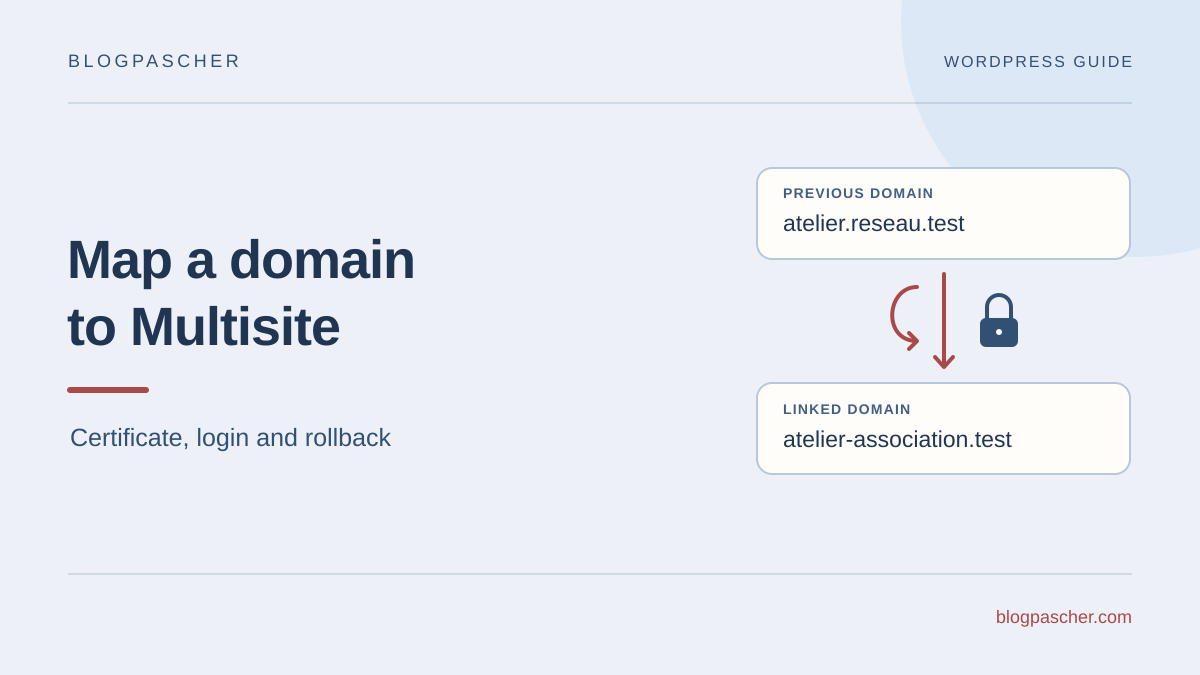
On a disposable copy, choose a subsite and an authorized editor account. In the example, site 2 moves from https://atelier.reseau.test/ to https://atelier-association.test/. The main site retains https://reseau.test/. Both subsite names are already served by the copy and the test client trusts its local certificate. Record the site record, home and siteurl values, reference content title and redirect state. Keep starting settings with the database backup.
Validate login at the initial address before the change. On the copy, save the new domain in site 2’s record. Verify that its ID has not changed and home and siteurl match the plan. From a fresh profile, request /wp-admin/ and observe the destination toward /wp-login.php. Open the form, sign in and reload administration. Record status, host, path and cookie attributes without noting their values. In this test, the approved policy limits each session to its host.
Trigger rollback if the certificate is rejected, another subsite responds, the session does not persist or a network reference regresses. Restore the record’s old address and check home and siteurl. Restore any proxy, redirect and cookie settings changed for the switch. If several settings have become inconsistent, restore the copy’s backup rather than reconstructing values from memory.
Perform a fresh login on the old host, then open and reload its administration. An old session still open is insufficient to verify this rollback. Compare the main site with the original reference and confirm the subsite retained its ID. A loop that also exists outside the domain change belongs in the login and cookies guide. To check login and account cache exclusions, consult the personalized-page caching guide.
- Check the certificate, address and a fresh login before mapping.
- Check the same ID, options, session and cookies on the mapped domain.
- Return to the previous record and log in again at the original domain.
Keep a useful record for future domain mappings
Finish with a short record: subsite ID, old address, new address, initial symptom, any rejection reason and chosen correction. Add hosts used during checks and the main-site result. This distinguishes a local improvement from a change that merely moved the failure to another network member.
If the issue remains, give the maintainer custom constant names, observed paths and redirect destinations without their secrets. The cookie name and Domain attribute are often enough to discuss incorrect scope. Also mention any existing external authentication and the proxy’s role when involved. A precise message avoids a general account reset.
For the next domain, prepare its routing, certificate, subsite record and login flow in that order. Explicitly state whether sessions must be independent or shared. No new domain-mapping plugin is required by default for this native procedure. An additional plugin should be considered only for a defined function, such as cross-domain single sign-on, with a separate study of compatibility and effects.
Check identical cookie names with different scopes
After a domain or path change, the browser may retain several cookies with the same name but different scopes. Do not stop at the first row: compare name, domain and path without copying values. A fresh profile distinguishes local leftovers from what the server issues today.
If the fresh profile works and the old one fails, first protect open work, then delete only the affected cookies in the test profile and sign in again. Do not artificially alter their attributes to make navigation succeed. If the server reissues an incorrect scope, correction still belongs in its configuration. After testing, check the subsite and main site according to the chosen session policy. This local deletion requires a new login; it does not revoke the account’s other sessions on the server.
Sources and references
Use these references to check the features, requirements and limitations described. Reading documentation is not a practical test.
View 12 references
- WordPress: native domain mapping ↗
- WordPress: Multisite cookie constants ↗
- WordPress: issuing login cookies ↗
- PHP: setcookie parameters ↗
- MDN: Set-Cookie attributes and scope ↗
- Chrome DevTools: inspecting cookies ↗
- WordPress: HTTPS detection ↗
- WordPress: wp-config.php configuration ↗
- WordPress: network administration ↗
- WordPress: network accounts and capabilities ↗
- WordPress — Updating a site record ↗
- WordPress — HTTPS behind a proxy ↗