

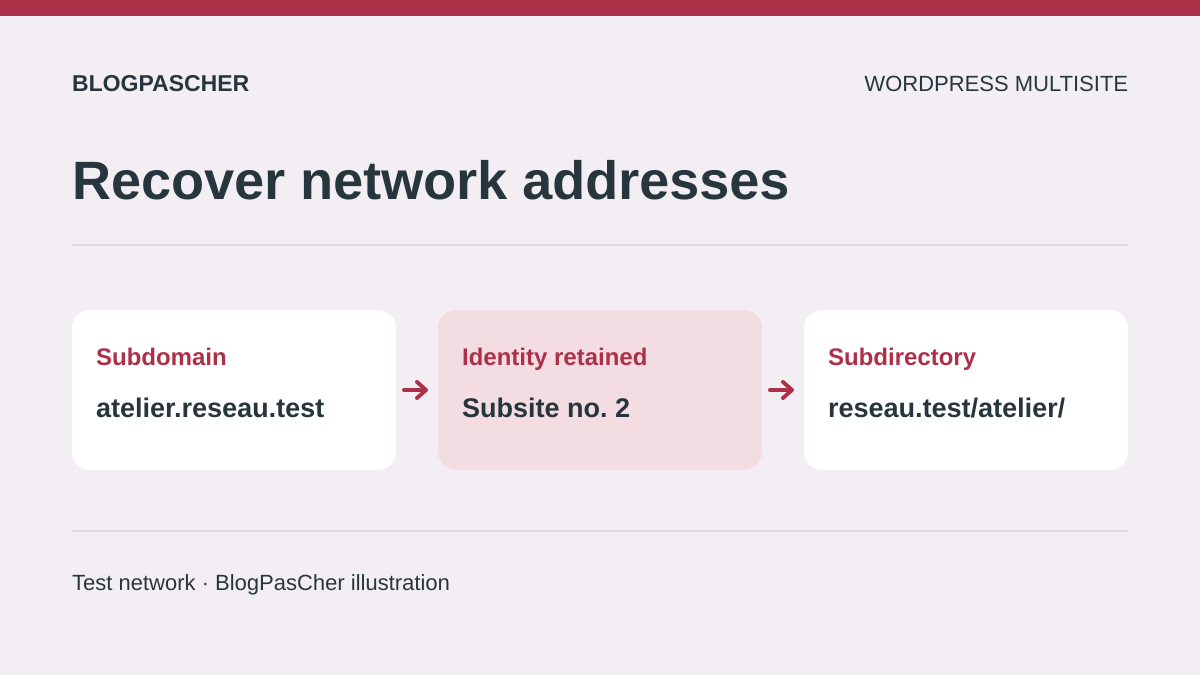
Recognize an incomplete network conversion
After switching a WordPress network from subdomains to subdirectories, or the other way around, some sites return 404, open the main site or lose their login session. The main homepage may keep working while other addresses become inconsistent. The aim is to recover each site, its content and its administration area at a clearly defined address.
This guide covers an existing self-hosted WordPress Multisite network. It does not describe creating a fresh network or migrating a standalone site. Conversion is an advanced operation: the SUBDOMAIN_INSTALL constant indicates an operating mode, but does not by itself convert stored addresses, DNS, certificates and redirects.
Start by recording the date, the previous value and the files or data actually changed. If you only followed a tutorial that replaces a constant and rules, the immediate solution will often be to restore the previous set. If a planned conversion has already transformed the data, examine its address mapping before restoring anything. Avoid creating new subsites to replace broken addresses: you could end up with empty sites separate from those holding your content.
Build an inventory before choosing a correction
The super administrator opens Network Admin, Sites and records each site’s ID and address. Keep the distinction between the main site, ordinary subsites and those with a custom domain. An already mapped domain may need to stay unchanged even if the structure of new subsites changes.
In the site list, open the subsite’s Edit screen and record the ID in the screen’s address. Under Info, record the routing address. Under Settings, record home and siteurl separately if these fields are available. Add an “expected host and path” column to compare the record with the result of a normal visit. An address shown in the dashboard proves neither that DNS points to the right server nor that the certificate covers the name.
For each important site, add an old post URL, an image and its administration address. Keep this inventory outside the public directory. It will help identify a page belonging to the wrong site, even when the server returns an HTTP success. If WordPress no longer starts far enough to produce the list, use a previous inventory or the backed-up copy with the technical lead. Do not infer IDs from folder names or the sites’ display order.
- Record each subsite’s ID, current address and expected address.
- Identify exceptions whose custom domain must remain unchanged.
- Associate each ID with a known page, media item and administration access.
Choose between a quick rollback and a planned conversion
A quick rollback is suitable when the switch was unplanned, the old URLs remain the goal and you have the previous configuration. It restores a consistent set, then checks the same pages that worked previously. It does not require completing a migration in an emergency.
A planned conversion is suitable when the change meets a confirmed need and a representative copy of the network lets you rehearse the operation. It requires address mapping, access to the server, DNS and database, and a plan for content created during the work. A local administrator should not undertake this shared change alone.
A third need deserves separate consideration: giving one or two subsites an independent domain. Native domain mapping may meet this need without converting the whole network. Examine this possibility before deciding on a global transformation. Whichever route you take, define failure conditions: the wrong site displayed, inaccessible administration, missing data or an old URL without the correct destination. A homepage that looks correct is not enough to declare the conversion successful.
Roll back when only files have changed
This route assumes the conversion has not changed any stored address, option or content reference. Normal writes made since the attempt must be preserved. Using SFTP or the file manager, the maintainer first backs up the current state to retain a record of the incident. They then compare the copy’s wp-config.php and server rules with the previous working versions and restore the test configuration elements changed by the switch.
The example below applies only to a network that previously worked with subdomains. Restore a single definition of SUBDOMAIN_INSTALL to its previous value, before wp-settings.php loads. If the old network used subdirectories, the previous value is false: do not use true simply because the example shows it.
On Apache, restore the WordPress rule block corresponding to that state while preserving other legitimate directives. On Nginx, have the person responsible restore the service configuration; editing .htaccess does not have this effect. If DNS records were also changed, coordinate their restoration with the same goal. Then check the old URLs and login in a test profile. If the data was also transformed, stop this limited route and use a consistent rollback that includes the database.
Record the DNS and redirect settings that actually changed, with their previous values. If your record is not reliable enough to rule out writes to the network’s data, do not choose this route based solely on how the files look. Validate the scenario on the copy first. The network owner decides whether to resume public operation.
- Confirm from the intervention log that the change did not write any subsite address or option.
- Restore the files and rules corresponding to the original type in the test environment, then check an old URL from each category.
- If the displayed site or options differ from the inventory, stop the limited rollback and return to the consistent restoration plan.
define( 'SUBDOMAIN_INSTALL', true );Avoid a partial restoration when data has changed
If the switch changed domains, paths, options or internal links, restoring only the old files creates another incompatible combination. List the operations performed and their backups. A restoration must return data and configuration to a compatible point while preserving events that occurred since that point.
The person responsible uses the network’s planned backup system, with matching files and database. Before restoring, they retain an export of the current state and inventory new posts, registrations or orders. They coordinate a temporary restriction on writes with the people involved, rather than restoring an old snapshot while others continue working.
A full restoration is appropriate only once its impact on recent data has been addressed. If some activity must be preserved, selective recovery becomes an operation prepared with the maintainer, not an improvised SQL command. After rollback, check a subsite from each category and compare IDs with the inventory. The goal is to recover existing sites with their data, not just their old URLs. Keep evidence from the conversion test to prepare another attempt outside the incident.
In the recovery record, pair each file set with its corresponding database snapshot and server rules. Add the list of writes made after that point and their owners. For a store or a network accepting contributions, plan to compare states before and after recovery. A snapshot declared compatible for routing may still be missing recent data.
Prepare address mapping on a copy
To proceed with a deliberate conversion, start from a consistent copy of the network. Before starting it, have someone verify that its configuration points to the test database and that persistent caches, jobs, emails and payments are isolated from production. A different address or file path is not enough if both installations share storage or automated processes. Keep a backup of the copy so you can repeat the operation and measure its effects.
Build a site-by-site mapping with the ID, old domain, old path, new address and exceptions. For example, a fictional subsite atelier.reseau.example/ may become reseau.example/atelier/. In the opposite direction, a path becomes a separate host. Mark retained custom domains as exceptions, rather than transforming them through a general replacement.
Check for collisions before entering the new addresses. An existing main-site page at /atelier/ cannot be ignored if that path becomes a subsite’s path. Also examine the main site’s post prefixes and old media paths. Give every URL family a precise destination. Once this inventory is approved, the maintainer can prepare the structural changes on the copy. The original inventory remains the reference for checking that the same site and content sit behind the new address.
Add the expected status for two edge cases to the table, such as a main-site page whose path resembles a subsite and an already mapped custom domain. Resolve any mapping with two possible destinations before making changes. Also check links containing useful parameters and prefixes used for routing.
- Prepare a table of old URL, new URL, ID and exception for each site.
- Set aside a rollback location pairing database, files and rules.
- Validate path collisions and keep custom domains separate.
Prepare DNS, server and certificate before the new URLs
The following route targets a standard network whose main domain and installation root remain unchanged. An installation moving to another server at the same time, multiple networks in the same database or a custom path architecture requires an additional plan. Do not combine these transformations with the network-type conversion.
When moving from subdirectories to subdomains, prepare each new host in the authoritative DNS zone and the hosting provider’s domain panel. All must be served by the shared WordPress installation, with a certificate valid for the names used. For a few manually created sites, wildcard DNS is not always mandatory. An on-demand creation policy may change this requirement.
In the opposite direction, verify that the server correctly forwards subsite paths to WordPress and that no real directory diverts these requests. Keep old hosts available for future HTTPS redirects: a visitor must establish the TLS connection before receiving a redirect. The expected check is that each new address reaches the intended server. This does not yet prove that WordPress will select the right subsite; that comes with consistent addresses and rules.
Coordinate the constant and the target type’s rules
On the copy, the maintainer retains the previous files, then prepares a set matching the target type: SUBDOMAIN_INSTALL is true for subdomains and false for subdirectories. They do not change the main domain or network path when these stay the same in the plan. The constant is only one element of this set.
For Apache, use Multisite rules suited to the installation’s version, type and actual path; the network setup instructions are customized. Replace the relevant WordPress block while preserving hosting-specific rules and legitimate protections. A snippet found for another network is not a complete configuration.
For Nginx, the person responsible adapts the configuration actually loaded by the service. The following test checks its syntax and whether referenced files can be opened; the binary and parameters must match the real service. Success checks neither content nor site selection. Reloading then follows the hosting provider’s procedure, after validation. At the slightest syntax error, restore the prepared file rather than reloading an invalid configuration. Stored addresses must also be transformed before functional conversion checks.
- Prepare the target type’s rules and independent access to the maintenance panel.
- Apply the batch of changes within a closed testing window, with a rollback snapshot.
- If the server rejects the configuration or the network dashboard stops responding, restore the test environment and correct the step order.
nginx -tUpdate existing subsites, then compare their options
On the copy, the super administrator opens Network Admin, Sites, then Edit for each ordinary subsite in the inventory. Under Info, they enter the complete new Site Address (URL) and save. The subsite ID must stay the same. Sites retaining a custom domain are treated as explicit exceptions. The main site’s record is not a way to arbitrarily transform its domain.
The Info screen can update home and siteurl separately. In the code consulted, it compares the host and path of each option with those of the old record. A custom value may remain in place. Record both values before and after. Before reading options from the command line, verify the test path and database, then run only the first line below. It displays the site ID loaded by WP-CLI for the new URL. In this example, it must be 3, as recorded in the inventory. If the ID differs or loading fails, stop and check the target. Run the two reads only after this match. The WP-CLI result does not validate HTTP routing.
In a standard network, the values should match the planned URLs for this subsite. If an old value remains, examine the Settings tab of the site’s network record and any customizations before correcting only the identified option, after backing up its previous value. Do not erase a deliberate difference associated with a particular installation. Do not add global WP_HOME and WP_SITEURL constants to impose the same address on all sites. If network access is lost during the test, restore the copy and correct the sequence before trying again.
- Open the subsite by its ID under Network Admin → Sites → Edit.
- On the copy, change only the record matching that ID and check the expected URL.
- Confirm the ID loaded by WP-CLI before reading home and siteurl. Compare the options with the inventory and explain any differences.
wp --path='/chemin/copie-wordpress' --url='https://reseau.example/atelier/' eval 'echo get_current_blog_id(), PHP_EOL;'
wp --path='/chemin/copie-wordpress' --url='https://reseau.example/atelier/' option get home
wp --path='/chemin/copie-wordpress' --url='https://reseau.example/atelier/' option get siteurl
Examine internal links with a limited dry run
Routing addresses and references stored in content are two different sets. A correct subsite record may leave images, menus or blocks pointing to the old host. Start by observing a few broken links, then identify the tables and components that actually store those references. Builder or plugin options may require a specific procedure.
WP-CLI can handle serialized PHP data. The example limits the dry run to two tables of a fictional subsite. First verify the copy’s path and database, the ID loaded by WP-CLI and the exact table names for that site. Replace the examples with values from the inventory. WP-CLI loads WordPress for this type of command. External services and cache must remain isolated, even with --dry-run.
The --dry-run option produces a report without saving replacements. Excluding the guid column preserves this identification field. Read the matches and verify that the tables belong to the intended subsite. The maintainer proceeds to a targeted write only after a backup, validation of the selection and a rollback test. Options, menus and component data outside these tables still need separate examination. A dry-run result is neither a migration of all tables nor proof that every public link works.
The trailing slash is part of the search string. It requires a slash after the old host in the string, without limiting replacement to URLs at the start of a field. The report may include an address in text, an attribute or a serialized value. Separately check root links without a trailing slash, HTTP variants and encoded URLs. Tables without a primary key may be skipped. If the report or rendering diverges, return to the test rollback point rather than reversing a general replacement.
wp --path='/chemin/copie-wordpress' --url='https://reseau.example/atelier/' search-replace 'https://atelier.reseau.example/' 'https://reseau.example/atelier/' wp_3_posts wp_3_postmeta --skip-columns=guid --dry-runPrepare redirects that preserve every destination
Once the new addresses work on the copy, prepare the mapping for old public URLs. A post must reach its equivalent, not the network’s main homepage. Check paths, useful pagination, downloaded files and parameters needed by site features. Some destinations deserve a specific rule rather than a mechanical transformation.
The person responsible for redirects chooses the layer already in use: hosting panel, web server or a component maintained for this function. They back up the original rules and add the new mappings without retaining a reverse rule that would create a loop. Permanent redirects are deployed publicly only after the final destination is confirmed. Browsers can cache them, so rollback requires particular care.
For domains and paths that remain unchanged, do not add migration redirects unnecessarily. Check that the rule does not capture retained custom domains or administration URLs. Form requests and authentication callbacks must follow the behavior their components expect, not a global rule applied to every exchange. The expected result is the correct destination, without unnecessary chains or a switch to the wrong subsite.
Validate content, logins and edge cases
Use the prepared inventory to open the homepage, a post and an image from every site category on the copy. Compare the subsite’s content and title, not just the response code. A main-site page displayed in place of a subsite is a failure, even without an error message. Also check an old link through its redirect.
In a browser profile reserved for testing, sign in as an authorized user, open the administration area and reload it. Switching between hosts and paths may change cookie scope. If the session loops, observe cookie domains and paths and compare custom constants; do not weaken their security globally. Keep maintenance access independent of the browser to restore the copy.
Also check the main site: post prefixes and collisions with new paths require special attention in a subdirectory structure. Media in an old network may follow different conventions from a recent installation. Do not move all uploads directories just to make their names visually match the new URLs. Document failing cases, correct their precise cause, then repeat only the affected checks and their dependencies.
- Check a known homepage, post and media item for each site type.
- Compare redirect chains, expected cookie domain and path, and access to an authorized test session.
- Record each site’s result and precise rollback criterion.
Rehearse the switch and rollback on the fictional network
Set aside a starting snapshot named A. On the fictional reseau.test network, ID 2 belongs to Atelier and ID 3 to Archives. The main site keeps its address. In the subdomain-to-subdirectory direction, the Atelier homepage changes from http://atelier.reseau.test/ to http://reseau.test/atelier/. Its /repere/ post changes to /atelier/repere/. Make the same record for Archives. Add an existing media item and administration access for each site. Give the content distinct markers to detect incorrect routing even when the page returns 200.
Also record a custom domain address to retain, a public main-site path to protect and an old URL without a destination. If a main-site post or page already occupies /atelier/, stop preparation and choose another mapping. Include the database, copy’s files, server configuration and original redirect rules in snapshot A. Leave media in place when its location is already compatible. Record the initial constant value and the values stored for each site.
On the isolated copy, prepare the server for the target paths, then apply the network configuration and new site addresses from the inventory together. For each, confirm the same ID and the expected home and siteurl values. Test destinations before adding redirects. Then record the status and Location header of old URLs without following the redirect. Check the destination separately and compare its content. A temporary 302 rule on the copy lets you refine this record during testing. Use appropriate permanent responses only when the public mappings have been validated.
For the Atelier post, test an old link ending in ?source=lettre. The expected destination is /atelier/repere/?source=lettre if that parameter is useful. Also test an old path without an equivalent. It must retain the intended behavior for a missing page. Check media and administration with separate test access. For new subdomains, consult the subsite resolution and status diagnostic. Once resolution and the host are correct, use the guide to subsites returning 404 for a fault that remains localized.
Rehearse the subdirectory-to-subdomain direction in a separate testing branch or after a backup point. Prepare the new hosts and their certificate for HTTPS tests. Reuse the same IDs, reset subsite paths to / and check each destination again. In this direction, the old /atelier/repere/ address must reach http://atelier.reseau.test/repere/ on the HTTP copy. Activate redirects in only one direction at a time and protect main-site access. Historical URLs that have already changed once must lead directly to the current destination.
Trigger the test rollback if an ID changes, a known media item is missing, an old link reaches the wrong site or the network no longer allows the expected administration. Stop writes on the copy and restore set A, including previous redirects. Replay the original reference checks from a fresh profile. If the copy contains contributions made in the meantime, preserve them separately before any reimport. Rollback is validated when the inventory, historical addresses, reference content and expected access once again match A.
- Record address pairs, IDs, exceptions and reference checks before the switch.
- Test new destinations before redirects, then old addresses and useful parameters.
- Rehearse the reverse direction separately, then restore A and check the original references.
Prepare the handoff to the network owner
The public switch begins only with a sequence rehearsed on the copy, its exact files, its address mapping and its rollback plan. Choose a time suitable for site activity. Prepare a recent consistent backup and a record of writes that must be suspended or resumed. The decision cannot rest solely on a local test loading a page.
Give the owner the timeline, affected files, address mapping, redirect variants and results obtained on the copy. Identify points still requiring confirmation for the public environment, particularly production names, DNS and cookie scope. The planned rollback must cover data, configuration and routing together. Specify who decides to stop if expected data or a subsite is missing.
Finally, update the relevant internal links, canonical URLs and sitemaps, then monitor errors and access to old addresses. Search visibility may fluctuate while new URLs are discovered; no fixed period guarantees stabilization. Keep the mapping record and maintenance procedure for future changes.
Include integration callback URLs in the mapping
Address mapping must also cover integrations that call back to the network: external authentication, payment notifications, synchronization and webhooks. A correctly displayed post does not demonstrate that these systems know the new address. An old endpoint redirecting to a public page can even produce a misleading result.
For each integration present, add its owner, old receiving URL, new URL and planned test in test mode. Consult its documentation before accepting a redirect: methods, signatures and permitted callback addresses depend on the provider. Prepare rollback values alongside the network’s files and database. When canceling the change, also restore any external configurations actually changed. Do not trigger any real payment to test the migration; use simulation methods already approved for the component.
Sources and references
Use these references to check the features, requirements and limitations described. Reading documentation is not a practical test.
View 16 references
- WordPress — Changing the type of an existing network ↗
- WordPress — Choosing a structure and preparing the server ↗
- WordPress — Mapping a domain to a subsite ↗
- WordPress — Consistency of backed-up files and database ↗
- WordPress — Apache Multisite configuration ↗
- WordPress — Nginx Multisite configuration ↗
- WordPress — Preparing a development copy ↗
- WordPress — Enabling a network and its routing rules ↗
- NGINX — Server validation options ↗
- WordPress — Source code for a subsite’s Info screen ↗
- WP-CLI — Reading a subsite option ↗
- WP-CLI — Dry run of a targeted replacement ↗
- Google Search Central — Mapping and redirecting moved URLs ↗
- WordPress — Multisite cookie scope ↗
- WP-CLI — Inspecting the site context in PHP ↗
- WordPress — Current site ID ↗