

Identify the affected posts and accounts
After import, two posts have the same title or several publications carry the byline of the person who started the transfer. Open a post showing the defect and one with the expected result. For each, record the address, administration ID, date, content type, account selected in Author settings and publicly displayed name.
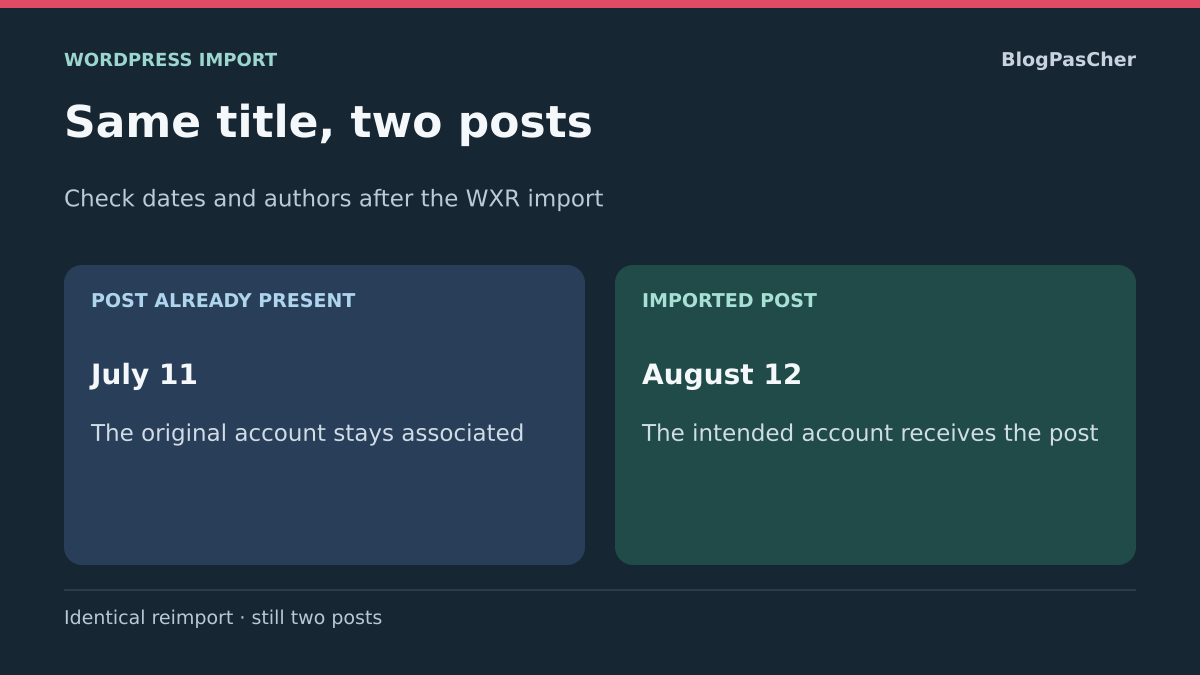
Two posts can share a title while containing different document versions. For example, the old site has an August “Opening Hours” page and the destination already has a July page with the same name. Compare contents and incoming links before deciding which should remain. Also check the type. A page and a post with the same title may serve two distinct flows.
If the account displayed in the editor is correct but the public byline is unexpected, look for the name’s source. The profile may use a nickname, the template may display a contributor field and a paragraph may contain a manually entered byline. An account correction targets the saved author. A public byline change may concern the profile or template. In this guide, the acceptance test compares saved authors on imported posts.
Prepare the comparison before another attempt
Keep the WXR export as downloaded, the transfer date and filters used to produce it. Also record importer warnings. If the operation was interrupted, examine the destination to determine what it already created. Look at a post near the beginning and another near the end of the batch. A failure message may appear after some posts or accounts were saved.
Request a backup of the current destination before any correction. If a pre-import state exists, keep it separate. Create a copy with its own database and test domain. Disable notifications and integrations that may react to content creation. Keep a list of actual changes since import, including published posts, approved comments and registrations. This record helps decide whether a complete restart is possible or targeted correction is necessary.
Choose a small representative batch. Include an author to map to an existing account, a title already present and content genuinely needing addition. On the test destination, record these samples’ IDs and paths before import. You can then compare the resulting state with a precise reference. If using several WXR files, note the periods they cover to identify overlapping batches.
Understand what matching recognizes
The official importer used in this test looks for existing content by comparing, among other things, title, recorded date and content type. Two posts with the same title but different dates may therefore coexist. A title or date variation between exports may also change the matching result. Filters or other import tools may apply different rules. Record the tool and version before comparing attempts.
To verify matching on your copy, prepare a local post and source post with the same title but different dates. Record IDs before and after import, then check their authors. Restore the copy’s initial state before comparing another account mapping.
An identical new import may recognize an existing post without synchronizing its text or correcting its author. Do not infer from no visible duplicate that the whole batch is identical: also check comments, media and plugin actions. Open every reference item and compare body, author, date and address.
Examine differences when the importer says a post exists
If the report says a post exists while the destination displays older text, open both versions. Compare the title and original date before looking for the differing paragraph. Also check featured images and blocks linking related content. If the public post should incorporate a precise change, port it to a copy of the record visitors already use. This lets you retain its address and check links without replaying the whole batch.
When matching concerns two items that should coexist, ask what difference should make them identifiable to readers. A title including the year, a category or a planned destination address may help separate two editions. Prepare that editorial choice before correcting a date in the file or using another importer. Changing WXR on the fly makes comparison with the source harder and may move the problem to links.
An import report does not always provide the local ID of matched content. If two titles resemble each other, compare the editor date, content type and permalink. The source ID may differ from the destination-assigned ID. Keep the source-destination pair in your record when revisiting assignments or confirming a link targets the intended version.
Approach 1 — Repeat import on a test destination
This approach applies if you can restore the pre-import state on a copy. In Tools, Import, open WordPress and install the official importer if unavailable. Upload the prepared small WXR. The next screen offers account creation or assigning content to existing accounts. Have the destination identity confirmed by the person responsible for authors. Two similar public names may identify distinct accounts.
If the public site continued receiving changes, use the attempt to prepare targeted intervention or a planned transfer. The pre-import backup may help explain the difference without replacing newer posts. Agree on the recovery point and how this data will be preserved before any actual restore.
- Record each source identifier and intended destination account. For an existing account, confirm its internal ID or login name with the administrator. Avoid selecting the administrator account simply because it appears first.
- When someone needs a new account, prepare creation with the administrator and assign the intended role. If content only needs to retain public credit, check editorial policy before granting additional access.
- Run the import on the copy. Keep the report and open reference posts. Compare the Author value and byline, then check a post already belonging to the destination.
- If assignment is wrong, restore the pre-import copy. Review the mapping and replay the same file. If comments and media are included, check at least one example of each type.
Use a CSV mapping with WP-CLI if you have terminal access
On the copy with the official importer already installed, create an auteurs.csv file in the test working folder. The first column contains the login name present in the WXR. The second contains the login name of the account that should receive the posts. Use login names rather than names displayed below posts. The values below belong to our fictional acceptance test.
old_user_login,new_user_login
atelier100-source,atelier100-destination
Run the reference import and review its assignments
Check the installation folder and siteurl value before continuing. The command writes to the copy’s database. In this example, the file is called export-temoin.xml. The --skip=attachment option isolates the post and author check by excluding attachment downloads. To validate a real transfer with media, plan a separate test checking their retrieval.
Review the import report, then check posts in administration. The report may help identify an existing post or unmapped author. Check that each destination name exists in the copy and every batch author has an expected mapping. If an account is absent or a login was misspelled, correct the mapping sheet before another attempt from the initial state.
To share the acceptance test, record the importer version, batch used and expected content count. The CSV may contain login identifiers. Keep it in private workspace. A sheet shared with support can show sanitized references while preserving distinctions between authors.
wp option get siteurl
wp import ./export-temoin.xml --authors=./auteurs.csv --skip=attachment
Approach 2 — Correct only incorrectly assigned posts
If the imported posts are correct and only some authors are wrong, start with an individual correction on the copy. Open the publication by ID and record the current author. Select the intended account in Author settings, save, then reload the form to verify the choice is retained. In a public session, check the byline and accompanying link if the template displays one.
For a uniform batch, prepare a list of IDs needing the same author. Make an initial correction on a small selection from the post list if the interface offers bulk editing. Check the result and open a comparable post that should retain its account. If the new account should receive posts from several source authors, handle groups separately to preserve a record allowing each post’s previous author to be restored.
Clearly identify cases where editorial credit should appear without transferring WordPress ownership of the publication. A profile change may affect many bylines and reassigns no posts. When the correct author is saved but the name remains inconsistent, ask the administrator to compare the profile, template and component displaying the byline.
Approach 3 — Handle duplicates after comparison
On the copy, create one row per suspected duplicate. Record both IDs, dates, URLs, known origin and a short content difference. Check internal links leading to either address, the page’s role in navigation and associated comments. The newer post may have received the correct text while the old one retains links, comments or better public continuity.
Decide with the publishing owner which address should remain. If useful text changed in both versions, reconcile those changes before removing a publication. Preserve comments or other data dependent on the original content through their intended process. If redirecting the old address, test that it leads to the right content and the retained post’s canonical link matches its address.
For a post with no remaining role, move it to Trash on the copy and first check menus and links. Keep its ID and address for rollback. Custom types or transaction-related content may require a specific procedure. If deletion risks changing permissions, purchases or history, have the relationship confirmed before applying a correction.
When import was interrupted, first handle posts whose creation the report confirms and compare their dates with the initial file. For later batches, prepare distinct periods or post lists to import once. If batches share media or parent content, identify those dependencies before separating them. A smaller batch simplifies checking provided you preserve mappings between items that must remain linked.
Validate content and prepare rollback
Choose an existing post, an imported post, a shared title and at least two authors if the batch contains several. Check titles, dates, saved accounts, bylines and URLs. For every handled duplicate, check the destination from navigation and the old address. If media or comment recovery was part of import, also check their attachment relationships.
Record which IDs were created, corrected or moved to Trash. For an isolated reassignment, recording the previous author enables rollback without repeating the transfer. For a complete import attempt, rollback uses the test destination backup. On an already-used public site, examine changes since backup before choosing restoration scope.
For the next batch, retain the original WXR, report, author mapping and inventory of existing content. When two exports overlap, define which file is authoritative for that period before running both. This choice limits the risk of reintroducing an old version or previously corrected byline.
Prepare an import with verifiable authors
Before the full batch, put the source login name, target login name and a reference post in your mapping sheet. The public name beneath a post may be identical for two accounts; it is therefore insufficient for filling the CSV. In administration, open the target account with appropriate permissions and confirm it represents the correct person.
The free WordPress importer allows this assignment through Tools → Import. WP-CLI automates the same type of work but does not turn import into ongoing synchronization. For every batch, retain the original file and its report. If using --skip=attachment, explicitly state that images were not transferred by that attempt: a remote image appearing on a page does not prove a local file exists.
After correct assignment, check one batch post and an earlier post that should remain unchanged. Also check the author archive link if the theme displays it. For an author-only error, restore the old account on the affected IDs; rerunning the entire WXR would introduce a broader operation without guaranteeing correction of existing content.
Sources and references
Use these references to check the features, requirements and limitations described. Reading documentation is not a practical test.