

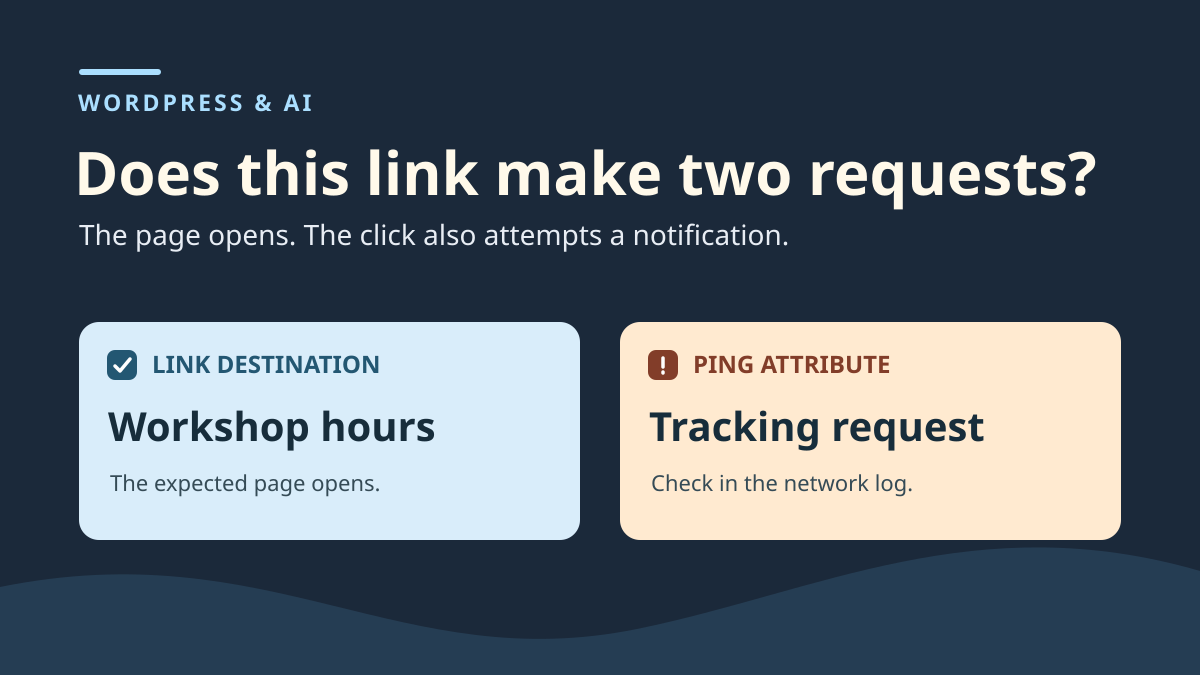
Define what the link should do before accepting the suggestion
An AI suggests clarifying a WordPress link's text and “measuring clicks”. In the preview, the new label is clearer and the link still opens the correct page. Yet the suggestion added a ping attribute. In a browser supporting and permitting it, activating the link may trigger an additional request to a tracking address. The browser may show the normal destination in its address bar while this other request is sent in the background.
The first check concerns the editorial need. Ask what the proposal was authorized to change. In our example, “Consulter les horaires” may become “Consulter les horaires de l’atelier”. The hours address, directions link and expected network behavior are already established. No measurement change was requested. Write this decision before comparing versions. It lets someone else understand why the new label can be retained and the tracking attribute rejected.
The href attribute supplies the navigation destination. The ping attribute may specify one or several space-separated addresses. A tracking address can use the same domain as the page and have an ordinary-looking name. The domain alone therefore does not characterize the change. Examine the address's function and why it appears in the link. Measurement may already be intended elsewhere on the site. Preserve baseline behaviors, then examine the proposed addition precisely.
This guide handles a proposal accompanied by HTML or applied to a block accepting that markup. If your tool supplies plain text and you replace words in the visual editor, there is no reason to paste its HTML example. If the suggestion was already applied, start from a known revision and current rendering. Two separate states let you identify where the difference begins.
Prepare a control that cannot be confused with tracking
In a local instance, create a dummy post about visiting a workshop. Add two destination pages. The first contains “Horaires fictifs” as its title and the second “Plan fictif”. Both should be easy to recognize without relying only on an HTTP code. A custom error document or redirect could also produce an apparently successful response. The title and final address help confirm what actually opened.
Then create two links in a Custom HTML block on the copy. The main link opens hours; the control link opens directions. Record both labels and addresses. Copy the block body to a local file or identify a revision containing it. To keep the test clear, avoid changing link order, destinations or page structure during comparison. The control answers a simple question: does the unexpected request follow only the modified link, or also an untouched link?
Use a distinct dummy address, such as /collecte-fictive, to represent tracking in an isolated local instance. No downloadable automatic checker is provided here. Before any click, check addresses and prevent outbound traffic to real services in your environment. Without this isolation, limit diagnosis to reading HTML and remove the attribute without activating the link.
Separate working files. Keep the baseline version, raw proposal and corrected version. Useful screenshots show both legitimate destinations and the attribute name without copying measurement-tool identifiers. The reviewer can then reproduce the mechanism without the original site, editor account or text-suggestion service.
Compare saved code with the displayed link
On the copy containing the proposal, select the target block and read its HTML. First find the a element carrying the hours text. Record its href destination, text between tags and added attributes. The fragment below illustrates the state to reject. Paths are fictional. On your copy, use addresses actually generated by WordPress for the dummy pages.
You should be able to explain changes separately. The text becomes longer to clarify which hours it means. The destination retains its meaning and address. The extra attribute names a second address. If the proposal contains several URLs in ping, record each in the working copy. None of these notifications belongs to the approved change here. You can choose to retain the text alone without importing the rest of the tag.
Also examine the element on the visitor page. The editor shows what is saved, while the received document shows what the browser can use. A WordPress filter, the saving user's role or a component rebuilding the link may alter the result. If ping is present in the draft but absent from rendered HTML, retain that observation. The addition should be rejected from the source you accept. There is no basis for claiming this browser sent a notification.
If the attribute appears only to visitors, identify the component supplying the element. The link may come from a template, shared pattern or addition made during rendering. Before changing a shared setting, check other pages using it. Correcting text in the post body cannot remove an attribute supplied elsewhere.
<a href="/horaires-fictifs/" ping="/collecte-fictive">
  Consulter les horaires de l’atelier
</a>
Observe the click and request on the isolated copy
The browser Network panel distinguishes navigation from accompanying requests. In Chrome, open it before clicking. Enable Preserve log so navigation does not clear it. Wait until the page is ready, clear the previous list, then activate the hours link once. Record the opened page's address and title. In the request list, then find the dummy tracking path and examine its HTTP method. If the browser shows a blocked row, specify that it attempted the request and it did not reach a recipient.
To isolate the native mechanism, compare the link with ping and the control link on a controlled copy with page scripts disabled. HTML specifies a POST request for link tracking when the mechanism is supported and allowed. Record what your browser actually does: a rule or configuration may block the attempt. On a real site, a script can also trigger a click request; attribute it to the correct mechanism before choosing the correction.
Return to the starting page before activating the control. Clear or separate observations of both activations. If using a Network filter, check that it did not hide the opened document or another request type. Also record browser version. ping being present in HTML is enough to establish the addition, even if configuration, a rule or another browser prevents execution. In that case, record the visible attribute and network result separately.
Chronology helps distinguish causes. A request appearing before activation may belong to page loading. In this exercise, the same path appears only in the state containing ping, when clicking the affected link. If you observe the same request with the control link or after removing the attribute, look for a shared source before concluding. Measurement may be triggered by the theme or another integration and then needs its own test.
Apply the label to the healthy block
To correct the suggestion, start from the baseline version. Apply only the approved new text. In a visually edited block, keep the existing link and change its label. In the exercise's HTML block, you can also remove only ping from the checked tag, then verify that a complete link remains. Compare href, text and absence of ping in saved code and the page. An empty or commented attribute is unnecessary. The expected correction produces a readable tag containing the useful destination and label.
If the editor will not let you change this markup, give the link reference and observed discrepancy to the block-source owner. Broader editing capability is unnecessary to write the new label. If the link comes from a shared area, correct where the attribute was added and check at least one other occurrence of that area. An independent link to the same destination may remain unchanged. Two links with the same href can come from different blocks and templates.
Reload the corrected copy as a visitor. The hours link should display the selected text and reach the same page. The directions link checks that correction caused no other action. Repeat the network sequence under the same conditions as the proposed state. Compare the path and request type of interest. Total loaded resources are not a success criterion. That total may change because of an unrelated image or style.
If the site already has intended measurement, ask its owner to supply expected behaviors in the working environment. Checking only ping verifies removal of this addition. To alter another form of measurement, start from its source and baseline. This avoids removing existing behavior while correcting a one-off proposal.
Restore the previous state and check the control link
Rehearse rollback on the copy. In our scenario, the healthy revision contains “Consulter les horaires” and the same destination. After restoration, compare both links, attributes and destinations. Compare saved WordPress content with the public HTML fragment. Also repeat activations on the isolated copy. A valid result returns to the initial state and adds no request to the dummy path.
For a post containing other useful changes, restore only the previous link version if the full revision would erase independent work. Keep the healthy block copy to recover old values. If the change was applied to a template or shared content, restore that source. Recheck the starting page and another using the source. A post revision is insufficient to establish the state of a component saved elsewhere.
The expected criterion is as follows: hours and directions remain accessible in all four states; only the state containing ping may trigger the native notification. After removal, the approved label must remain without that attribute; after restoration, the initial text must return. Record observed results, including any absence of a network attempt. No execution results for this comparison are provided here.
Record what can be reused in the next review
In the decision record, identify the post, block and link. Keep one sentence for the accepted change and another for the rejected one. Add the checked destination, attribute presence in the proposal and isolated-test result. Specify whether the request was captured or you observed only HTML. The decision remains understandable even if the original suggestion is no longer available in the editor.
For batches of suggestions, start with links whose destinations are already known. Compare link name, href and new attributes before testing a click. If a proposal changes both the link and surrounding content, request separate validation for each change. Clearer text does not automatically authorize a technical addition. You can transfer the text into the existing block and apply the same test to a second control link.
If the proposal genuinely aimed to measure clicks, choosing the mechanism is a separate task. This review's record should simply state what was observed and applied to the link. The team taking over can reproduce the fault using both dummy destinations. It will also have the corrected version and healthy revision to compare results without the tool that made the proposal.
Find ping attributes without activating links
For a free initial inventory, open developer tools on the staging page and run this JavaScript in the console. It reads links in the current document without activating them or sending requests.
The ping column displays the raw value, which may contain several space-separated addresses. An empty list means only that no a[ping] element is present at that moment in this document; it does not exclude script collection, an iframe or a later-added link. Do not share the table without removing identifying parameters.
Then return to the affected link's source and remove the unexpected attribute, reload and rerun the inventory. Retain the new label if that alone was approved. To undo, restore the healthy fragment saved before editing. This no-click check is the recommended initial route; network testing remains reserved for an isolated copy with controlled destinations.
console.table([...document.querySelectorAll('a[ping]')].map((a, index) => ({
  index,
  texte: a.textContent.trim(),
  destination: a.getAttribute('href'),
  ping: a.getAttribute('ping')
})));
Sources and references
Use these references to check the features, requirements and limitations described. Reading documentation is not a practical test.