

Identify what changed in the migration
Posts open on the new domain, but the footer reverts to its default, widgets disappear or a plugin loses its configuration. If this begins immediately after a text replacement in the SQL file, look for a value that has become unreadable before rebuilding settings. Several features may read the same option. Recreating them manually risks masking the cause and erasing the last usable values.
Record the last working version, the two replaced strings, affected tables and import time. Check the migration record to see whether the change was made in a text editor, with an SQL command or through a WordPress tool. Note a reproducible example, such as the missing link in a block reused on two pages. An old screenshot and a reference page address are easier to compare than a general impression of a changed appearance.
A link still pointing to the old domain may simply have been overlooked. A set of settings reverting to defaults after a database operation warrants a different check. If the server displays a database connection error on every page, first restore that access. This guide assumes WordPress can already read its database and an identifiable value is suspect.
Protect the database before comparing two states
Export the current database before another attempt and retrieve the copy preceding the replacement. Label each file with the domain, time and time zone. If the host offers a backup with site files and database at the same restore point, record both components. Keep exports in a private folder. They may contain email addresses, tokens or order data.
Create a separate copy with its own database, address and test account. Verify its database connection in the hosting panel and open its administration area before importing a file. A staging site pointing to the same database as the public site exposes the same data. Have emails and tasks contacting real services disabled on the copy, or use the intended test modes.
Keep a record of what production has received since migration. A store may have new orders, an association new memberships and an editorial site new drafts. This record determines whether the correction validated on the copy can be applied to an option, a data group or a new migration prepared by the maintainer. Even if the old database fixes the symptom on the copy, its age and coverage still need comparing before an actual restore.
Read a serialized value without touching the database
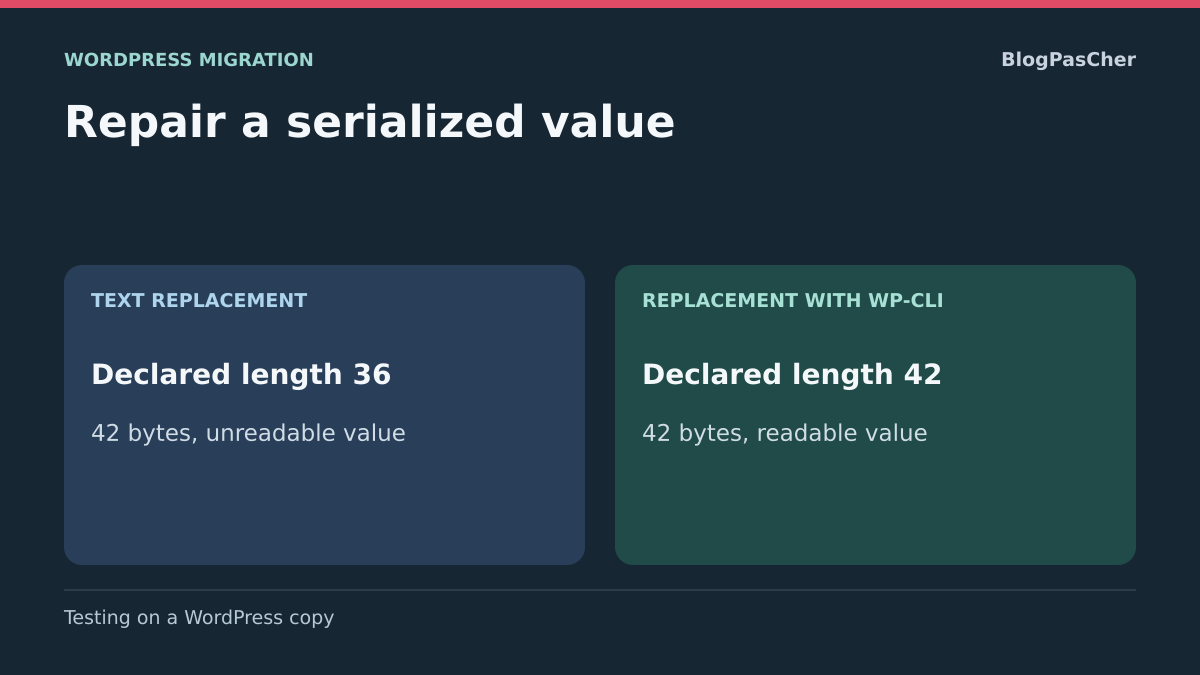
WordPress stores some PHP arrays or objects in a form that preserves their structure within a string. In a fragment such as s:5:"salut";, the number describes the byte length of the following string. If the value becomes bonjour but the number remains five, PHP encounters an inconsistent length. An address can cause this problem whenever a domain, path or protocol changes length. An accented letter may also occupy several bytes in UTF-8.
The example below runs in a local PHP file created for the test. It uses a fictional array in memory and does not connect to any WordPress installation. With PHP 8.0 or later on the command line (str_contains is used), save it as essai-serialisation.php, then run php essai-serialisation.php. The last line should indicate that the old length remains after the text replacement.
This mechanism explains why searching for the old address may return zero results while options no longer load. The searched string was indeed replaced, but WordPress may no longer be able to read it. A correction must restore a readable structure and preserve the array’s other values. Avoid recalculating numbers manually throughout an entire export, especially if it contains nested arrays or values whose format belongs to a plugin.
<?php
$avant = 'https://ancien.exemple.test/document';
$apres = 'https://nouveau-site.exemple.test/document';
$stocke = serialize(['lien' => $avant, 'libelle' => 'Été']);
$texte = str_replace($avant, $apres, $stocke);
echo 'Ancienne longueur : ', strlen($avant), PHP_EOL;
echo 'Nouvelle longueur : ', strlen($apres), PHP_EOL;
echo str_contains($texte, 's:' . strlen($avant) . ':"' . $apres . '"')
    ? "L’ancienne longueur est encore présente.\n"
    : "Vérifiez la chaîne produite.\n";
Confirm the hypothesis with an option and a reference output
Start with the setting that explains the symptom. For a theme, check that the same theme is active on both copies and the expected template is used. For a plugin, compare its version and check that it is active. A different version or forgotten activation can change values read at startup, even with an intact database. Also review logs at the test time in their private location.
Identify the option name through the maintainer or the relevant tool’s documentation. On each copy, read the value through WordPress or the component’s export mechanism. First compare the expected type, such as an array, then the keys the page depends on. An empty result or false can also indicate a missing option. To conclude corruption, confirm that the entry exists, the earlier copy is readable and the modified version became inconsistent at the replacement location.
To check the mechanism, use a fictional option on a copy and compare reading it before and after a serialization-aware replacement. Keep an accented label and a boolean among the reference fields. Disappearance of the old URL is not enough: WordPress must still read the structure and its independent values.
If the value is readable in both copies, compare the resulting address with the one requested by the browser. A redirect or cached response can produce an old link while the setting is correct. In that case, ask which template or component generates the link and reload a single reference page. For an unexpected home address, also check values defined in WordPress configuration or by the hosting environment. This comparison avoids transforming the database when the cause lies in another layer.
Approach 1 — Start from the consistent pre-migration database
Choose this approach if several settings disappeared and the backup before replacement is available. Restore the starting copy with the file versions it used at that time. Check that reference pages and components work before changing the address. If the output is already wrong, first look for a consistent backup or a version difference.
On a simple site with no new writes, starting from a clean database and repeating the migration may suffice. If recent orders or content must be preserved, the state validated on the copy serves as a reference for targeted repair or a recovery with reconciliation. Decide after identifying which data must follow each option.
- Record the exact strings to transform, preferably complete URLs. List variants actually present, such as old HTTP and HTTPS URLs or a subfolder path. Prepare one test per variant when their scopes differ.
- Simulate replacement with a tool able to read and rewrite serialized data. Select the necessary tables and review the report. A very high row count or unexpected table warrants reducing scope before any change.
- Apply the transformation to the copy and read the reference value again through WordPress. Also check output, links, administration and actions used by the site. Compare at least one setting that should remain intact.
- For production, choose the recovery point and how to preserve data received after it with the maintainer. Prepare a new backup and a rollback test before any switch.
Check replacements with WP-CLI
Run commands in the copy’s folder. Compare the output of wp option get siteurl with the intended address for this copy and confirm its database in the hosting panel. Find its prefix with wp db prefix. The example name wp_options uses the fictional standard prefix wp_. Use your copy’s table name and the strings you validated. On multisite, first identify the subsite and its tables with the network administrator.
The following simulation searches for a URL in the option-values column. It leaves content identifiers aside and asks WP-CLI to process values in PHP. The --report-changed-only option makes the report easier to read. On a real site, options may also contain login URLs or service settings. If the intended scope is a single option, prefer restoring it through its owning tool’s interface or export.
During a simulation, check that the value remains unchanged and keep the report before deciding to apply. When the report matches preparation and the copy is ready, rerun on that copy removing only --dry-run. Read the setting again and repeat the reference flow. Use a simulation before every other variant. A report showing zero replacements on an already damaged database is a reason to return to a clean state, because the old string may have disappeared before this check.
wp search-replace 'https://ancien.exemple.test' 'https://nouveau-site.exemple.test' wp_options --include-columns=option_value --precise --report-changed-only --dry-runApproach 2 — Recover an isolated setting
If only one feature is affected and the site has continued receiving data, reinstall a current copy and a copy of the last consistent state. Compare the feature’s settings between them. Look for a theme- or plugin-specific export, or recreate the setting through its interface on the current copy. The component then saves its values in the format it uses today.
Document the import’s exact scope. An option may contain both a visual setting and independent values. Compare other fields before importing a complete configuration or requesting a targeted restore. For a simple feature, recreating it in the interface with the recorded values may be easier to verify. For a nested set or a plugin migrating its data, ask the maintainer for its transfer procedure instead of copying the raw string.
Keep the current-state export and the working example. If the validated repair is applied to the public site, prepare a rollback affecting only the changed setting when the feature permits. Check output and a common action after application, then close temporary access to the copy.
Approach 3 — Simulate from the administration area
If you have administration access to the copy and no terminal, Better Search Replace offers simulation with table selection and serialized-data support. Install it only on the authorized copy, or ask the host whether an equivalent migration feature already exists. Prepare the backup before running the tool.
This approach validates replacement on values that are still readable. It is not an automatic repair of a structure already broken by an earlier change. Return to the consistent backup or rebuild the setting before correcting addresses. Both WP-CLI and Better Search Replace approaches must be validated on your copy with the same reference setting.
- Enter the complete old and new URLs. Confirm their protocol and path. Select only the tables planned for the first attempt.
- Keep simulation enabled and leave GUID replacement disabled when offered. Read the simulation report before deciding whether the scope matches the problem.
- If the result is consistent, apply on the copy. Reopen the setting screen and reference page. If the copy runs out of resources or interrupts the operation, check what was written before retrying.
Validate the resulting state and know when to hand over
Compare the settings screen, public output in an anonymous session and an action performed with the usual role. For a download link, open the correct document on the copy with a fictional account. For a contact block, use test mode or stop before actual submission. Also check another setting from the same plugin, then revisit the page that showed the symptom in a new session.
If no pre-change copy exists, preserve the current database and look for configuration exports, screenshots or hosting history. A setting may be reconstructed from these items even when its raw value can no longer be read. For several affected structures or order-related data, send the maintainer table names, URL variants, component versions and dates of available states. Supply sanitized examples and keep complete exports in the agreed private channel.
Finally, record the repaired scope, passed checks and backup enabling rollback. Keep the simulation command or configuration with the migration record. During the next address change, you can repeat the check on a copy and compare occurrence counts before touching the site.
Use Better Search Replace without a terminal
The free version of Better Search Replace offers table selection and simulation. On the prepared copy, open Plugins → Add New, search for the exact product, then install and activate it. Next open Tools → Better Search Replace. Enter the validated complete URLs, select affected tables and retain the simulation option for the first pass.
Read the change count and indicated tables. This report does not prove every occurrence matches the need: an address may also appear in an independent configuration. For one affected option, its owner’s native setting often remains more precise.
Once the copy is backed up and scope confirmed, disable simulation for this replacement only, then check the setting and reference page. The plugin is not an Undo button; rollback depends on the prepared backup. Deactivate it after the intervention if its temporary use is complete. For already broken strings, first start again from a readable value.
Sources and references
Use these references to check the features, requirements and limitations described. Reading documentation is not a practical test.