

Distinguish the author account from the public display name
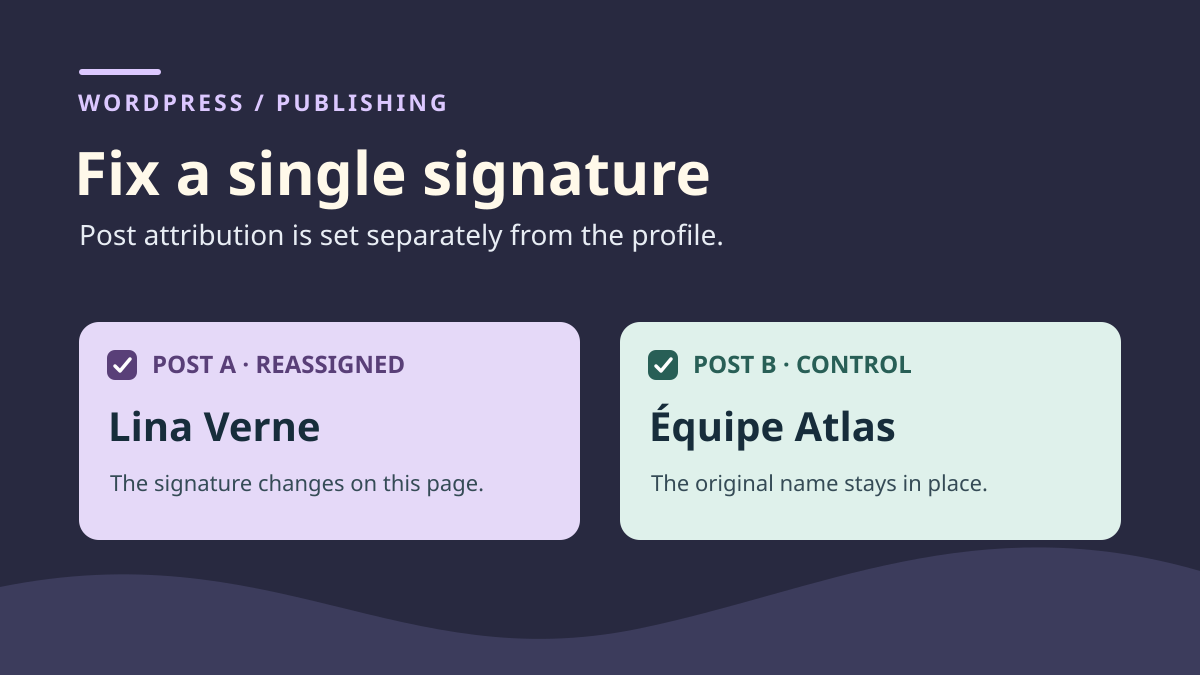
A post prepared through the “Équipe Atlas” account should carry Lina Verne's byline. Another team post must retain its byline. If you rename the Équipe Atlas profile, the first post may appear corrected when reloaded. The second may display the same new name even though nobody changed its attribution. WordPress retains an author account for each post. The public name is an account setting. Several posts can therefore use the same name.
Define the expectation with whoever manages editorial attribution. If Lina should become the post's recorded author, select her account in the post. If the team wants to change how its name appears on all publications, the profile may be the correct source. If the byline should only credit someone without changing the recorded author, check the byline system the site already uses. A contribution credit can have a separate role. Decide what the recorded author should represent before moving a publication to another account.
For this guide, post A must move from Équipe Atlas to Lina Verne. Post B, also attributed to Équipe Atlas, is the control. Both post bodies remain identical throughout testing. The Post Author Name block displays the public name of each post's linked account. In staging, it is configured to link the name to the author archive. This address provides another clue when display names resemble one another. The link may change with the target account even if the text stays similar.
You can perform this workflow with the WordPress editor on a copy. Prepare two dummy accounts and two distinct posts, then open posts as a visitor after each change. This compares saved settings with rendering without using real accounts. This guide supplies no automated test or downloadable dataset.
Find the byline's source before editing a profile
Open the affected post. In the document settings sidebar, find Author. Select the post tab rather than the block tab. Record its current value and post address. Also check the byline in the preview or visitor page. The editing sidebar's value describes the recorded author. The name below the title reflects how the template or content displays that data.
Find the text's source if these elements appear contradictory. A Post Author Name block in a template or body retrieves author data. A manually typed paragraph remains the text someone wrote. A plugin or theme may manage its own contributor list. If the post is already attributed to Lina and static text shows Équipe Atlas, examine that line or component before changing the account. Correcting the wrong source may multiply contradictory bylines.
Identify a second page where the same account already signs a post. Choose one displaying the byline through a comparable mechanism. If the first uses a dynamic block and the second a simple sentence, comparison cannot isolate the profile's effect. In the example, both posts contain the same Post Author Name block. Titles A and B identify each page, and each block reads that page's author. Verify these markers on the copy before changing a setting.
If several bylines appear on one page, record their locations. The template may display a name near the title while the body contains a contribution credit at the end. Distinguish both uses. A second display is not automatically an error. When both texts claim to identify the same author but contradict each other, find each source. The control must concern the block you want to correct, where the reader encounters the information.
Reproduce a rename's effect on two posts
On the copy, prepare two test accounts and two posts. Attribute A and B to Équipe Atlas. Add the Post Author Name block to both if the template does not already provide a comparable byline. For the test, check both pages logged out. A displays Équipe Atlas, as does B. Both byline links, when enabled in block settings, point to the same account's archive. Record the starting state before simulating the false lead.
On the dummy Équipe Atlas profile, make “Lina Verne” its public display name. Depending on the interface, you may need to enter a test nickname and select it. If changing that field for staging, also record its initial value. Leave posts untouched, reload A then B and record their bylines. Both may now display Lina Verne. Check post settings to confirm both remain attributed to the same account. That account's profile changed, and both posts use its new value.
Changing the public name does not reassign posts to the second account. Check the byline link address: it should still identify the Équipe Atlas account's archive until attribution changes. Its format depends on permalinks; compare URLs produced by your copy.
Restore the team's original public name before testing attribution. Both posts should display Équipe Atlas again. If renaming the profile was actually intended for other publications, ask which public name should remain before continuing. You then have two separate decisions: the account's general presentation and the author to record on post A.
Reassign only the post that must change
Open A in the editor and confirm its title and address. In the document's Author setting, choose Lina Verne's account. If several people share the same public name, confirm the account before saving. Two profiles displaying identical text may lead to different archives. If the expected account is absent, ask the site's account owner to investigate. They can check the account, content type and team permissions. Editing the previous author's profile does not resolve an account-selection problem.
On the copy, save A and reopen its settings to confirm the change. Leave B unchanged. A's saved value should now identify Lina, while B's must still identify Équipe Atlas. You can check this before dealing with the byline's appearance. If attribution is correct but public text remains wrong, investigate the display source next. Avoid changing layout during this first step. A template change would prevent identifying what changed through attribution alone.
If the byline is a manual line intended to credit a contributor, apply the site's editorial rule to that line. Have wording and location confirmed. Changing the WordPress author in this case could alter the post's placement in author lists when the request concerned only a credit. Conversely, replacing paragraph words does not reassign the post. Check Author if the request concerns the account linked to publication.
When the team genuinely wants to change an account's public name everywhere, use the profile and prepare several controls. Record at least two posts and other locations using that name. Confirm posts remain linked to the same account and the new name is expected on all these pages. This choice addresses a general rename request. It exceeds the need illustrated by A and B.
Compare the visitor-facing byline and link
Open A and B without an editing session. First check titles and URLs to ensure the correct pages. Read the name in the intended area. A should display Lina Verne. B should display Équipe Atlas. If the byline contains a link, record its destination. In staging, A's link identifies Lina's archive while B's stays associated with the team. Both post bodies remained identical. The change concerns attribution, used by the block when WordPress produces the document.
On your copy, also check lists where the byline matters. A homepage or post list may display the name through a different block from the post itself. Record that result separately to avoid confusing sources. If the site uses the author name in post addresses, compare the URL before and after reassignment. Staging with plain permalinks cannot establish results for that structure. Record links the team must check before applying the correction elsewhere.
If the block still displays the old name despite correct attribution, open the link to the document directly on the copy. Compare page text received with text in the editor. A byline repeated across every card may come from fixed text in a shared template. One old display may come from a cached response or an area using its own source. Record which display differs. Do not rename the profile to compensate for a template fault or stale response.
The four expected states are distinct: A and B signed by Équipe Atlas; both bylines renamed through the profile; only A reassigned to Lina after restoring the profile; then both posts returned to the original account. Record saved IDs and links received in HTML. Also verify archive opening if your editorial workflow depends on it.
Restore the initial author without restoring all text
To undo correction, reopen A's Author setting and select the Équipe Atlas account recorded initially. Save on the copy, then open A and B as a visitor. Confirm both bylines and links return to the agreed state. A body revision is not a record of the previous author. By default, core revisions retain fields such as title, body and excerpt. Therefore keep previous attribution separately and restore it explicitly.
If testing also changed the profile, restore its public name. Restore the nickname if you changed it to obtain a new menu option. This is a separate account setting. Reopen several pages using this profile to check its effect. If the team approved other profile changes since your record, compare values before rollback. You can restore only the relevant setting without erasing an independent choice.
If the original account is no longer available or its name changed since baseline, give the record to the account owner. Confirm which account to select before changing the post. Finding the same onscreen name is insufficient if someone else now uses it. The expected result combines a publication, account and display, each independently verifiable.
Keep a record distinguishing both interventions
For review, record A and B's addresses, initial author account and expected byline after correction. State whether the profile name has already changed. The reviewer should identify which profile setting was restored and which post reassigned. A screenshot of A alone may mislead. In staging, A displays the same name during the rename test and after correct repair. B's name and A's author-link address distinguish these states.
If a post was prepared through a shared account and its byline is missing during review, add Author-setting verification to the checklist. Also keep the editorial attribution rule available to approvers. The same byline can represent a person, team or contribution credit depending on location. A clear decision about this use avoids correcting several posts when only one was targeted.
Before closing the correction, ask the reviewer to check A and B at the copy's addresses. Have them record name and link in the same area on both posts. If they find the correct account in A and original byline in B, they have two independent checks. They can then find the previous author in the record and rehearse rollback.
Reassign a specific post with WP-CLI
The editor's Author setting is the free native solution. For a maintainer already using WP-CLI, the same operation can target one post. On the copy, replace paths, post ID 123 and account ID 45 after verifying them in the administration area. The first command records the initial author; the second changes attribution.
Do not add a post list or a command selecting all content: the request concerns A alone. Then check A and B in the browser, including bylines and author links. Plugins reacting to updates may run their own processing even when you change only post_author. To roll back, repeat the update of post 123 with the recorded initial ID. This method changes no profile public name and creates no missing account.
wp --path="/chemin/recette" --url="https://recette.example" post get 123 --fields=ID,post_title,post_author --format=json
wp --path="/chemin/recette" --url="https://recette.example" post update 123 --post_author=45
wp --path="/chemin/recette" --url="https://recette.example" post get 123 --field=post_author
Sources and references
Use these references to check the features, requirements and limitations described. Reading documentation is not a practical test.
View 7 references
- WordPress: document settings and author ↗
- WordPress: public display name in the profile ↗
- WordPress: Post Author Name block ↗
- WordPress: updating a post ↗
- WordPress: revisions and retained fields ↗
- WordPress: permalink structure containing the author ↗
- Official documentation — Reassign a specific post with WP-CLI ↗