Web hosting
1984 Hosting for WordPress in Iceland: pricing and backups
1984 Hosting’s WordPress plans in Iceland, initial and renewal terms, migration, the Security Pack and backup limitations.
Read more →

Site appearance
Web hosting
Profile of Peruvian provider INTERMEDIAHOST S.A.C.: term-based pricing, cPanel, quotas and Personal/Premium backups. Signing up from France and the scope of maintenance remain to be confirmed.
Source published: · Source updated: · Editorial policy
Visit the official HOSTINGPERU.COM.PE website ↗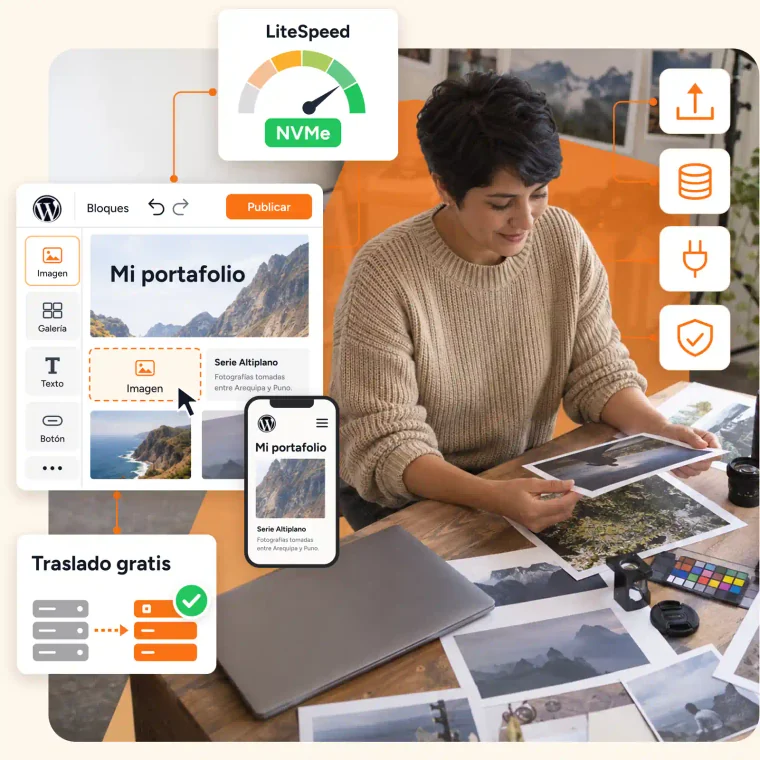 Developer presentation image. The LiteSpeed gauge is not a measurement performed here; the advertised migration remains subject to the agreed scope.
This profile is based on published offers and documentation. No new hosting benchmark or support test was performed for this translation.
Prices retain the market, currency and billing period described in the French source. Translation does not update a commercial quote. Confirm the final price, taxes and options before ordering.
| Plan | Price and billing | Resources and limits |
|---|---|---|
| Hosting WordPress — Personal, 1 year | PEN 130.80 for the first year; equivalent to PEN 10.90/month. Renewal: PEN 202.80/year published for this cycle; future rates to reconfirm. One-year contract, amount excluding IGV; domain separate. | 1 website, 25 GB SSD/NVMe, 100 GB monthly transfer, 1.5 GB advertised RAM, 5 mailboxes, 1 database; 150,000 inodes, 30 active processes and 10 entry processes. CPU: advertised CloudLinux limit of 1.5 cores, without implying a dedicated server. Shared storage for files/database/email; external backup not included. |
| Hosting WordPress — Premium, 1 year | PEN 166.80 for the first year; equivalent to PEN 13.90/month. Renewal: PEN 262.80/year published for this cycle; future rates to reconfirm. One-year contract, excluding IGV; domain separate. | 50 websites, 50 GB SSD/NVMe, 2 GB advertised RAM, CloudLinux limit of 2 cores, 10 mailboxes, unlimited number of databases; 200,000 inodes, 40 active processes and 20 entry processes. Allocation shared between websites; weekly external backup, retention of 2 weeks; unlimited transfer subject to fair use. |
HOSTINGPERU.COM.PE is the brand examined here, operated according to its terms by INTERMEDIAHOST S.A.C. It must not be confused with other businesses using similar names around “Hosting Peru.” This profile covers its Hosting WordPress range and Personal and Premium plans, with amounts in Peruvian soles.
The local appeal lies in the contact and billing presented in Peru, together with a Spanish website and help. This may be relevant to a Peruvian business or a team working with that market. The trading name does not mean the server is in Peru: the infrastructure page specifies North America without establishing the physical site assigned to each account. The terms also provide for overseas service providers.
Clarify the location assigned to the account and copies if this determines your choice. No speed from Lima or Paris was measured. The plan must also match the manager’s work: a WordPress website to maintain, an independent page builder and a VPS server do not provide the same rights or obligations. The selected plan’s tools and quotas define the scope of comparison.
The page presents monthly introductory prices, followed by more precise annual rows. As of November 3, 2026, Personal lists a first year at PEN 130.80 and renewal at PEN 202.80 per year. Premium lists PEN 166.80 for the first year, then PEN 262.80 per year. PEN is the code for the Peruvian sol. These amounts are advertised excluding IGV.
The annual-plan equivalents are PEN 10.90 and 13.90 per month for the first term. The advertised PEN 6.90 and 9.90 correspond to the three-year contract: the current page lists PEN 248.40 and 356.40 respectively payable for those three years, excluding IGV. These are therefore not commitment-free monthly installments. The two offers detailed here remain the one-year plans so that the same term is compared; check the selected cycle in the summary before payment.
Personal advertises one website and 25 GB of storage; Premium fifty websites and 50 GB. The domain is not included according to the page’s recommendations. To calculate startup costs, add the services actually needed and check taxes instead of multiplying the lowest price by twelve. The advertised trial without a card is a commercial option to assess separately; no trial or account was opened.
The published annual renewals provide a useful comparison with the first year. The initial term also changes the displayed renewal: after the three-year contract, the table advertises PEN 118.80 per year for Personal and PEN 178.80 per year for Premium, excluding IGV. These rows express an annual rate without validating every detail of the next invoice. They remain a snapshot for that day, not a guarantee of stability for all future renewals. Keeping the plan terms, amount paid and service date helps verify the next offer. An introductory discount must not be presented as a permanent rate.
The exclusion of IGV does not determine the final treatment of a French account holder. The rate and invoice applicable to that case have not been validated. Tax obligations mentioned in marketing aimed at Peruvian businesses are not translated here into rules for a French buyer. The domain, hosting and any electronic invoicing service are also separate costs.
The page offers electronic invoicing for three months with an annual plan or six months with three years. It then advertises PEN 49 excluding IGV per month if the customer wishes to continue. This separate service must not be counted as a permanently free benefit or as a French invoicing solution. Signup conditions with a foreign identity and address also need confirmation, along with the accepted payment method.
Before extending, check which services are still useful, the options and the notification address. The account must remain under the holder’s control even when a technical provider manages the website. Changing managers does not automatically change renewal dates.
cPanel is advertised in Spanish for the WordPress plans examined. The customer area handles invoices and requests, while WordPress has its own administration and roles. Availability of a French interface or French-speaking human support has not been established. The team must be able to understand restoration confirmation requests and expiry notices.
Defining access before a third party intervenes avoids unnecessarily broad permissions. The account holder retains the recovery address and financial access. A writer receives a suitable WordPress account; someone responsible for databases or files receives the necessary technical rights. Company mailboxes and other websites in the Premium account should not become accessible by default to every editorial contributor.
Keep an inventory of domains, databases, mailboxes and required tasks, identifying the responsible person. Files downloaded for backup should be stored in space controlled by the holder. The terms reiterate their responsibility for software and authorized people, making this organization as important as the plan choice. No private session was used to check the language or options actually displayed in an account.
The plan advertises free WordPress installation and an automatic installer, but the exact account workflow has not been verified. Identify the installation, domain and folder before taking over an existing website. A new empty installation does not replace migration of files and a database. The destination must be empty or its copy preserved before any writing.
After WordPress is created or handed over, the holder must have administrator access. Open the website address and then its administration to verify that it is the correct installation. Under Settings, General, check the project title, address and time zone without randomly changing an already used URL. Choose collaborator roles under Users according to their work.
The expected result is a public website and administration accessible on the intended domain with valid HTTPS. If the domain shows the old website or an incorrect certificate, check routing and domain assignment before reinstalling. Retain old settings so the destination can be corrected. The mention of automatic maintenance does not remove this check; the host’s and content owner’s responsibilities must be clarified.
Personal advertises 1.5 GB of memory, 150,000 inodes, thirty active processes and ten entry processes. Premium specifies 2 GB, 200,000 inodes, forty active processes and twenty entry processes. Inodes count file system entries; many small files can reach the limit before the disk is full. Processes concern running operations, not a guaranteed visitor quota.
Storage serves website files, databases and email according to the FAQ. Premium’s 50 GB therefore does not come on top of independent space for each website or mailbox. Likewise, fifty permitted websites do not represent fifty full resource reservations. Compare their combined consumption and concurrent tasks before treating that number as a decisive advantage.
The current table expresses processor capacity in cores: 1.5 for Personal and 2 for Premium. The provider specifies that this is the limit assigned to the account by CloudLinux; it does not demonstrate ownership of exclusive physical cores. Marketing visitor estimates and requests-per-second figures are not results observed on your website. PHP 8.x now appears alongside 5.x and 7.x, without an exact minor version: request a maintained version compatible with the project and confirm its availability on the account. An old PHP version appearing in a list does not make it a recommended choice.
The current table explicitly excludes external backups from Personal. Premium provides one each week with two weeks of retention. Yet the general infrastructure page mentions daily copies: do not apply this broad promise to every plan. The terms make frequency and retention dependent on the subscribed plan. Confirm account coverage; in all cases keep your own copies, particularly orders newer than the last weekly point.
To produce a personal archive, the standard cPanel workflow can help if Backup Wizard is enabled by the provider. Availability still needs checking in the account; cPanel documentation explains that the host can disable this interface. Allow enough free space for generation to complete.
Two mechanisms must be distinguished. For the copy retained by the provider, the terms allow restoration without an extra charge when the plan includes backups and a technically usable point exists. The request must specify the domain, data and desired date. This rule does not guarantee that a particular older version is still present, and it does not create a contractual backup for Personal.
For a personal copy, cPanel allows partial recovery if Backup Wizard is available: Restore, data type, Choose File, then Upload. The file must match the selected type. A full account archive cannot be restored automatically from user cPanel; the documentation then refers to the provider with the necessary permissions. Do not treat a full archive as a simple database file to upload.
Before replacing content, preserve the current state and assess data newer than the backup. Files and database must be consistent to recover an entire WordPress installation. After the task, check media, pages, access and business information. A visible home page is not enough to verify orders or forms.
If recovery fails, retain task information and examine the prior copy before trying another point. No universal undo button or restoration result was observed here.
The provider advertises free transfer of a WordPress website from another provider. Before making this the main selection criterion, have the scope described: files, database, addresses, mailboxes and special settings. Volume, versions and available source access can change the method. The marketing promise does not prove that rebuilding or code repair is included.
Prepare a dated copy and keep the old service accessible during the operation. Record domain and email settings. The page explains changing DNS servers to use its hosting, but this change should not begin before you know what is ready at the destination. Arrange verification using the preview method agreed with the provider. Before activating a copy, have its database isolated and its emails, payments and external tasks disabled to avoid duplicate real operations.
Compare pages, media and recent data, then check WordPress access. For a project receiving orders, define how new writes will be reconciled during the transition. Website migration and message migration are two separate checks.
If something is missing, postpone the switch and retain the source. Returning to the old routing after data has reached the new server would also require recovering that data. The holder must accept the transfer before ending the previous service; a promise of free migration does not replace this validation.
The page builder presented by the provider is Sitejet Builder. Its page mentions a drag-and-drop editor, templates and AI content creation. This is an advertised feature of that product; no generation was run and no result was evaluated. The page associates Sitejet with Web Hosting plans, requiring confirmation of access for the exact WordPress plan under consideration.
Sitejet and WordPress must not be confused. Creating a page in a separate builder does not prove that it can be reused as WordPress blocks or that a complete export to this CMS is included. Before choosing the tool, define the expected deliverable and check export rights, quotas and prices for required features.
Installation, caching or update automations are not, by themselves, generative features. The pages examined do not demonstrate a native WordPress writing assistant included unconditionally in Personal or Premium. Any third-party tool would need to be identified and budgeted separately.
For any generated content, review business information, contact details, images and usage rights. Do not turn suggested wording into a verified fact. The builder choice should also preserve an acceptable recovery route for the holder.
The support page offers telephone, tickets, WhatsApp and email, with a team presented as based in Peru. Published hours are Monday through Friday from 9 to 19 and Saturday from 9 to 15; clarify the time zone before converting to French time. Automatic monitoring advertised for 24 hours a day does not prove continuous human support or immediate resolution. French-language service and actual response times were not checked. A request should specify the domain, time, symptom and latest change, without exposing secrets in a screenshot.
The scope of maintenance deserves a written definition: the commercial FAQ mentions update management and the ability to update plugins automatically, while the terms reiterate the customer’s responsibility for component compatibility. Identify what is updated, what is excluded and how a failure will be recovered. Free installation does not become complete maintenance of all third-party code.
Before a change, keep recoverable files and database. For a theme change or several plugins, use an appropriate working copy; no ready-made staging environment is presumed included in these plans. Plan to disable its messages, payments and external tasks before activation; verify its separate database, then the result, and prepare a targeted deployment.
After the intervention, check the original problem and the functions used. If a fault appears, document the changed component and examine the prior copy instead of accumulating reinstallations.
Departure begins while the account remains accessible. Gather WordPress files, a consistent database, necessary email and domain information. Add tasks, paid components and elements that the person taking over must configure. A post export file alone is not a complete copy of the application.
The terms allow suspension as early as the day after unpaid expiry, followed by possible deletion after fifteen calendar days of suspension for nonpayment or nonrenewal. This period is not free storage time for organizing an export. The possible presence of a technical copy after closure guarantees no recovery. Customers must therefore preserve their own data before expiry and verify its usability at the destination without depending on a late request.
For Premium, check every website in the account before cancelling: one transferred project does not mean the others are ready to close. Track the domain and additional services separately. The time-limited electronic invoicing service should also remain in the list of options and renewal dates.
The final check compares the latest data, verifies email and confirms that the holder has destination access. Keep confirmations and each subscription’s status. Handing over an archive, changing routing and financial closure are different stages that must all be checked to complete departure.
Use these references to check the features, requirements and limitations described. Reading documentation is not a practical test.
English translation of the reviewed French edition. Code examples retain their original identifiers, comments and output strings for reproducibility. Linked exercise files and original screenshots may contain French. No new practical tests or price checks are implied by translation.
1984 Hosting’s WordPress plans in Iceland, initial and renewal terms, migration, the Security Pack and backup limitations.
Read more →Compare 34SP.com WordPress containers, shared memory, staging copies, downloadable snapshots and site migration.
Read more →Compare AEserver’s managed WordPress prices and check whether your network must be split into independent installations before migration.
Read more →