

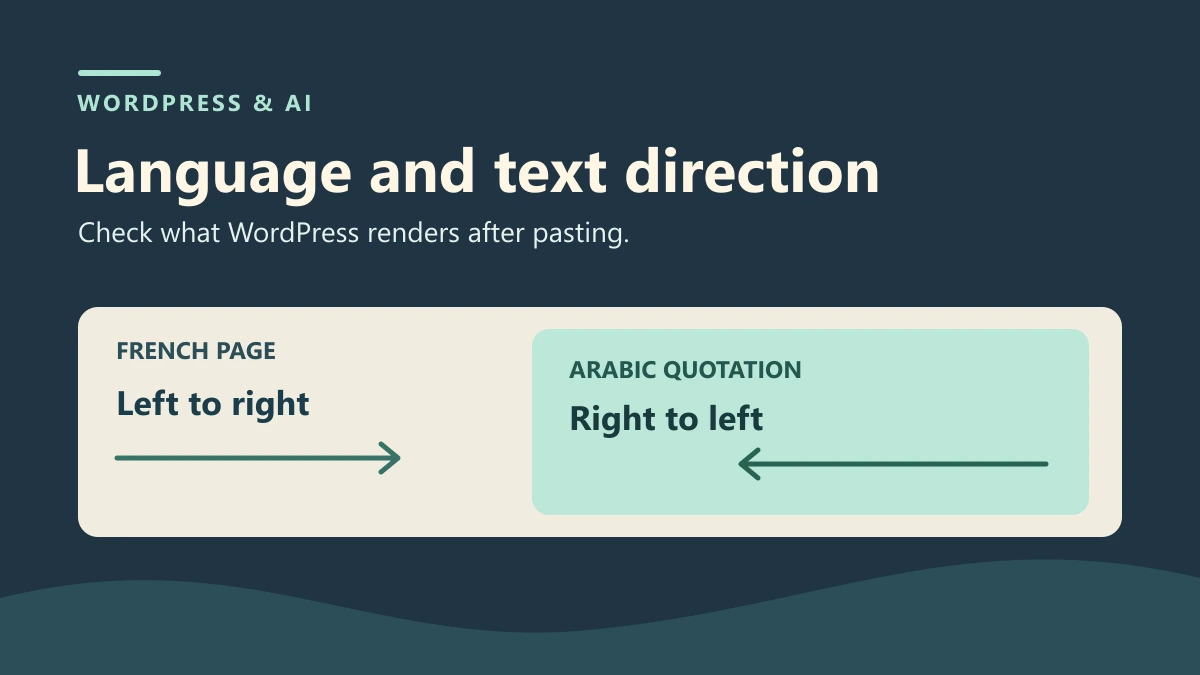
Identify which part of the page changes language
An Arabic passage is added to a French page about a fictional workshop. The sentence says that the workshop starts at 10:30. After you paste it into a Custom HTML block, the Arabic characters appear on screen. The passage has no language of its own and inherits the page’s direction. In another version of the suggestion, lang="ar" is present, but dir="ltr" still forces a left-to-right direction. These two states call for different fixes.
Start by reading the page around the passage. The title, introduction, menu, and instructions that follow are in French. WordPress and its theme render the html element, which carries the language of the document. Keep French as the default language for this document. On the added passage, specify the actual language of the sentence and the direction appropriate to its script. Language describes the text. Base direction governs how the browser arranges characters, numbers, and punctuation in context.
Write down what you expect before touching the block. The page stays French and left-to-right. The Arabic sentence should be identifiable as Arabic and appear in a passage with a right-to-left base direction. The two neighboring French sentences should behave as before. Check the number 10:30 after saving as well. This fix concerns the attributes and their scope. Leave the sentence itself and the site’s default language as they are.
Keep a baseline before saving the pasted content
Work on a copy of a post or page. Write a French introductory sentence, a quotation about the start time, and another French sentence after the quotation. The two sentences around the block serve as controls. In the baseline, the quotation is in French. Save the revision or the exact block content, then open the copy as a visitor. Record the text in all three areas and the language of the root element. If the page already declares the wrong language, record that issue separately. A test of one passage cannot establish how every page is configured.
To simulate the suggested content without using a service, replace the French quotation with the sample Arabic sentence in a Custom HTML block. Keep a first version in which the quotation declares neither language nor direction. Prepare a second version in which the quotation has lang="ar" and dir="ltr". Use the same Arabic text in both versions. This lets you attribute any differences to the attributes while keeping the wording and number constant.
If you are working with an actual suggestion, check the text and markup before pasting. The content fragment belongs in the body of the page. If the suggestion wraps it in a document with html, head, or body elements, keep only the fragment you need. When you translate an entire page, its default language is set by the rendered page and its configuration. In this procedure, only one quotation changes language. Limit its declaration to that quotation.
Keep the variants separate in your notes. The baseline block gives you a quick way back if a paste error affects another passage as well. To find the right place after saving, note the opening words of the French text before and after the quotation. You can also keep a test identifier on the copy. If the content has multiple quotations, record the exact location so you can find the intended element even when it appears later in the document.
Distinguish inherited language from inherited direction
In the DOM, a language declared on an element also applies to descendants without a declaration of their own. A quotation without lang can therefore inherit French from the page even if its text contains Arabic characters. The browser can display those characters regardless of the declared language. In the first test state, inspection shows that French is the effective language because the closest declaration is on the page.
For this exercise, lang="ar" is enough to identify the language as Arabic. Base direction is set separately. In the second state, the browser identifies the quotation as Arabic while its direction remains left-to-right because dir="ltr" is still on the quotation. Recording the two values separately helps explain why an initial fix can look complete while the direction is still wrong.
Direction determines how the text is arranged. A right-to-left sentence may contain digits, a time, or a name written in another script. Avoid manually reversing characters or moving punctuation to compensate for an incorrectly marked container. First correct the passage’s base direction, then read the sentence and the time on screen. Right alignment positions the text on the line. Reading direction has its own setting.
Choose the element that covers exactly the passage. For an entirely Arabic quotation, use the quotation container. For a few words in a French sentence, mark only the relevant span of text. An isolated proper name or a term already used in the surrounding language may need no separate declaration. If you are unsure of the language or direction, have someone check the text before choosing the attributes. The declaration should accurately describe the text the reader receives.
Fix the fragment in the block that produces it
In the copy, open the Custom HTML block and find the quotation. Add or correct lang="ar" and dir="rtl" on its container. Keep the two French sentences outside that container. In the fragment below, the sentence says that the workshop starts at 10:30. The attributes describe the whole quotation and apply to its child paragraph.
Limit the fix to the attributes that describe language and direction. Read the text again before saving so that pasting it again does not change the time. If the suggestion used a CSS rule for direction or alignment, check its scope. HTML markup sets the starting point for base direction. A presentation rule can still produce a different computed direction, depending on the theme. If this happens, check which rule applies to the passage.
If the block comes from a template or a reused pattern, check where the text is stored. Changing the shared source can affect several pages. This procedure uses a block local to one post to limit its scope. If you need to modify a shared element, find another occurrence of the source on a copy of your site. You can then check that pages without the quotation behave as they did before.
<blockquote lang="ar" dir="rtl">
  <p>تبدأ الورشة عند الساعة 10:30.</p>
</blockquote>
Check the page DOM after saving
Save the copy, close the previous preview, and reopen the post URL. Inspect the quotation in the browser’s Elements panel. First check that the html element still declares French. Then check that the attributes are on the quotation in the rendered document. They should apply to the Arabic paragraph and stop before the next sentence. A declaration at the wrong level can fix the quotation while changing how another block behaves.
Compare the block markup with the DOM. If lang or dir was in the pasted markup and is missing in the DOM, reopen the block and check what it kept. If the attribute is already missing from the saved block, the pasted and saved versions differ. If the block kept it, examine the component that produces the page and the result of the browser’s HTML parsing. In either case, record the difference before changing any global settings or account permissions.
In the quotation’s computed styles, look for the direction property. With the corrected fragment in this procedure, its value is rtl. In the following French sentence, it remains ltr. If the DOM contains dir="rtl" and the computed direction is still ltr, look for a rule applied to the element or one of its descendants. Also record the closest language declaration for each paragraph. The Styles panel shows what the browser applies to the display. Check the attributes separately to determine the declared language.
Read the Arabic sentence and the number in context. The test compares the DOM text with the starting text, including 10:30. This helps detect changes to the content during pasting. Assessing the visual position of individual characters calls for a separate check. If the passage uses several scripts, look at it with the site’s usual styles and ask someone who knows the language to review it.
Read the results and identify the test limits
In the WordPress test instance, the root element kept lang="fr-FR" and a computed left-to-right direction in all five states. In the first pasted version, the quotation had no attributes and inherited French. In the second version, Chrome recognized lang="ar" while keeping a left-to-right direction. After the fix, the quotation carried the expected values and its paragraph inherited them. The two French sentences kept their language, direction, and text.
The variants were saved in a Custom HTML block using WordPress core functions and then inspected in the loaded page’s DOM. This procedure checks that the attributes and text survive saving and rendering in this environment. It simulates possible states of pasted content. Pasting from the clipboard in the visual editor may produce different results. The test blocks theme stylesheets and page scripts to isolate how the attributes behave.
Screen reader behavior was outside the scope of the test. The lang="ar" attribute provides language information that assistive technologies can use. Voice switching, pronunciation, and how the time is read require a separate check. If your validation includes that experience, add a test with the screen reader and voice your team uses. Record what it reads separately from the DOM results.
Restore the baseline and keep the check reusable
To undo the change in the copy, restore the revision containing the baseline fragment. If other passages have been edited since then, restore only the quotation and the attributes you recorded at the start. Reopen the post in the browser. Check the root element, the quotation, and the two control sentences. The rollback can be incomplete if the text is restored and an added attribute remains on the container.
In the test, the revision restored the saved content and the rendered fragment exactly. The quotation was back in French, and the surrounding elements behaved as before. Your results will differ if your baseline already contained a correctly marked Arabic passage. In that case, restore its text and its original attributes. Use the baseline you saved for that page.
For review, provide the copy’s URL, the passage in question, and the expected values. Include the observed attributes and computed direction in all three areas. Keep the suggestion as tested alongside the corrected version. The reviewer can then check that the time is the same, that the quotation is correctly marked, and that the rest of the page has the expected language and direction.
Adapt the check to a phrase within a sentence
The passage may be just an English phrase in the middle of a French paragraph. In that case, both languages follow the same direction. Mark the segment with its own language, then read the words before and after it. If the entire French sentence inherits English, the attribute is too high in the document. Check the surrounding words even when the line’s visible direction stays the same.
If the entire passage is a paragraph in a right-to-left script, set the direction on the paragraph or its own container. The theme can still determine which edge the text aligns with. Check the declared and computed directions before changing that alignment. If the reader needs to recognize a time or a reference, ask someone to review the final rendering and keep the number itself in your notes.
In both cases, reopen the block after saving and check exactly where the attribute was added. If the suggestion adds several passages, use a French control passage between two of them. This helps spot a container that extends too far and passes its attributes to everything that follows. Start with one isolated fix. Apply it to other passages once you have confirmed their language, direction, and position in the DOM.
If the saved attributes are correct but the passage still reads in the wrong order, open the Computed panel in the browser inspector and expand the direction property. Note which rule supplied its value. A rule on the quotation or a containing block can explain a difference between the saved attribute and the rendered layout. Temporarily uncheck that rule in the inspector and compare the two control sentences as well as the quotation. This is a diagnostic change in the browser. If it explains the problem, narrow the stylesheet rule on a copy, reload the public view and repeat the check at a narrow width. Keep the existing alignment when the reading order is already correct.
English translation assisted by AI. Menu labels can vary with your WordPress version.